Ir para o conteúdo principal
Participe da comunidade de reparos - Criar conta

Nokia Lumia 625 Touch Screen Digitizer Glass Replacement

O que você precisa

Vídeo de Apresentação

  1. Nokia Lumia 625 Touch Screen Digitizer Glass Replacement, Rear Bezel: passo 1, imagem 1 %32 Nokia Lumia 625 Touch Screen Digitizer Glass Replacement, Rear Bezel: passo 1, imagem 2 %32 Nokia Lumia 625 Touch Screen Digitizer Glass Replacement, Rear Bezel: passo 1, imagem 3 %32
    • Turn off the phone and remove the back cover.

    • Remove any installed SIM or memory card.

    • Use a screwdriver Torx T5 and remove the 8x black screws.

    Pergunte ao FixBot

    Comentar

  2. Nokia Lumia 625 Touch Screen Digitizer Glass Replacement: passo 2, imagem 1 %32 Nokia Lumia 625 Touch Screen Digitizer Glass Replacement: passo 2, imagem 2 %32 Nokia Lumia 625 Touch Screen Digitizer Glass Replacement: passo 2, imagem 3 %32
    • At the top and bottom of the phone you'll see two grooves.

    • Use a plastic tool and start the separating the rear bezel from here.

    Pergunte ao FixBot

    Comentar

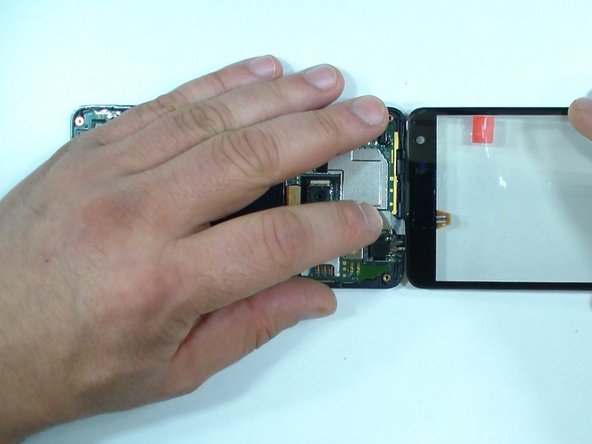
  3. Nokia Lumia 625 Touch Screen Digitizer Glass Replacement, Touch Screen Digitizer Glass: passo 3, imagem 1 %32 Nokia Lumia 625 Touch Screen Digitizer Glass Replacement, Touch Screen Digitizer Glass: passo 3, imagem 2 %32 Nokia Lumia 625 Touch Screen Digitizer Glass Replacement, Touch Screen Digitizer Glass: passo 3, imagem 3 %32
    • Disconnect the battery and the touch screen flex cables.

    • Now is the moment for test the new spare part.

    • Finally, disconnect the battery again and remove the new touch screen.

    Pergunte ao FixBot

    Comentar

  4. Nokia Lumia 625 Touch Screen Digitizer Glass Replacement: passo 4, imagem 1 %32 Nokia Lumia 625 Touch Screen Digitizer Glass Replacement: passo 4, imagem 2 %32
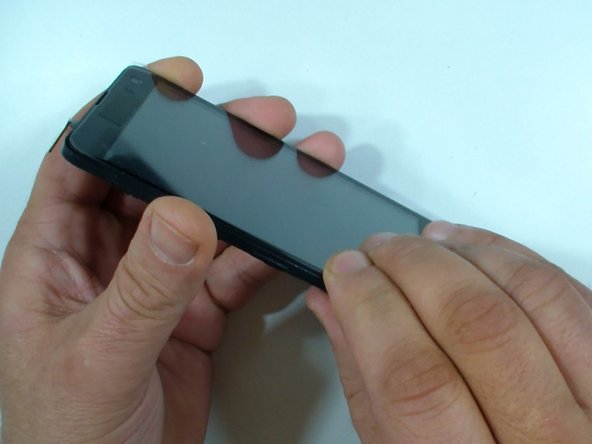
    • Put some scotch tape to prevent the glass from shattering and yourself from injury.

    • Use a hair dryer and warm the glass to make adhesive soften.

    Pergunte ao FixBot

    Comentar

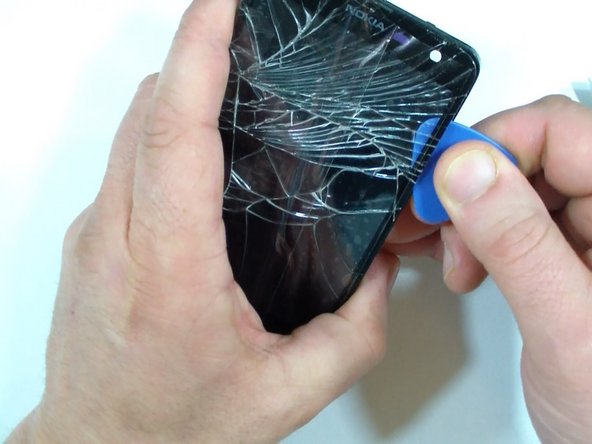
  5. Nokia Lumia 625 Touch Screen Digitizer Glass Replacement: passo 5, imagem 1 %32 Nokia Lumia 625 Touch Screen Digitizer Glass Replacement: passo 5, imagem 2 %32 Nokia Lumia 625 Touch Screen Digitizer Glass Replacement: passo 5, imagem 3 %32
    • With a cutter separate the glass a little bit to make a room for the plastic pick or other plastic tool.

    • Be careful for the LCD. You can use a hair dryer again to rewarm the glass.

    Pergunte ao FixBot

    Comentar

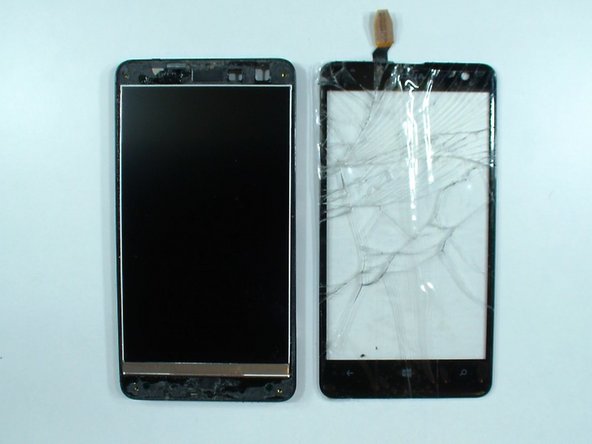
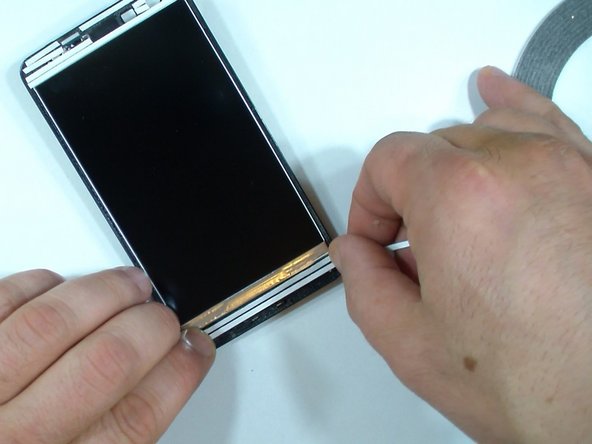
  6. Nokia Lumia 625 Touch Screen Digitizer Glass Replacement: passo 6, imagem 1 %32 Nokia Lumia 625 Touch Screen Digitizer Glass Replacement: passo 6, imagem 2 %32 Nokia Lumia 625 Touch Screen Digitizer Glass Replacement: passo 6, imagem 3 %32
    • Clean the frame of the old adhesive tape and install new.

    Pergunte ao FixBot

    Comentar

  7. Nokia Lumia 625 Touch Screen Digitizer Glass Replacement: passo 7, imagem 1 %32 Nokia Lumia 625 Touch Screen Digitizer Glass Replacement: passo 7, imagem 2 %32 Nokia Lumia 625 Touch Screen Digitizer Glass Replacement: passo 7, imagem 3 %32
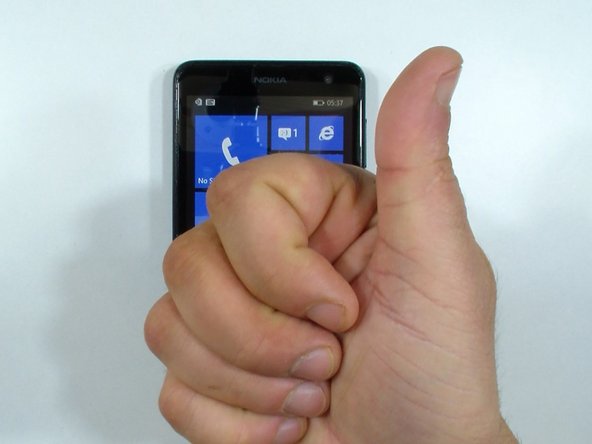
    • Check the LCD for dust and install the new touch screen glass.

    • Now reassemble the phone.

    Pergunte ao FixBot

    Comentar

Conclusão

To reassemble your device, follow these instructions in reverse order.

Cancelar: não concluí este guia.

20 outras pessoas executaram este guia.

ZFix

Membro desde: 12/09/13

197.216 Reputação

Autoria de 330 guias

Equipe

Master Techs Membro de Master Techs

Community

333 Membros

Autoria de 1.485 guias

4Comentários do guia

Thanks for this guide!

However, the phone uses T5 screws. The T4 screwdriver would simply damage the screws. Just that advice.

Thanks again for such detailed guide.

carlitossuper1 - Responder Compartilhar

Another comment: I was attempting to do this guide and the LCD is glued to the digitizer! It's very important to disclose this at the beginning of the guide. You could end up with a broken LCD!

Do not try this if the original glass broke, because it's glued to the LCD and removing the broken glass could damage it.

carlitossuper1 - Responder Compartilhar

That is not true carlitossuper1, the LCD and the digitizer are not fised together. Glue is only around the frame.

Andrzej Grabowski - Responder Compartilhar

I managed to replace the original digitizer as well. This was my first digitizer replacement and it took me 1 h 45 min the starting point being: this guide open, tools available, replacement part and the smart phone in hand. The operation itself took me some 35 min.

About the screws: I used T4 (I read the comments only afterwards), didn't slip a bit, but T5 fits better now that I tried it.

What a great feeling! I achieved something very concrete today - thanks to you!

Sampo Kouri - Responder Compartilhar

Comentar

Visualizações:

Últimas 24 horas: 1

Últimos 7 dias: 9

Últimos 30 dias: 41

Ao todo: 7,858