Essa tradução foi gerada por um programa e ainda não foi revisada por uma pessoa. Falas essa língua? Dá uma olhada.
Introdução
Utilize este guia para instalar um novo leitor de DVD em um Nintendo Wii U.
O que você precisa
-
-
-
Com a parte inferior do console virada para cima, remova os 6 parafusos a seguir, ocultos sob os adesivos quadrados brancos:
-
Três parafusos Phillips #000 de 5,1 mm
-
Dois parafusos tri-wing Y0 de 6,1 mm
-
Um parafuso tri-wing Y1 de 13,2 mm
 Pergunte ao FixBot
-
-
-
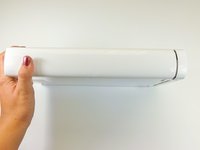
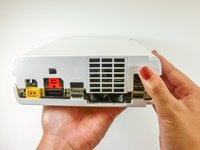
Gire o console em 180 graus de modo que as saídas de exaustão fiquem voltadas para você.
-
Remova os dois parafusos Phillips de 7,1 mm.
-
-
-
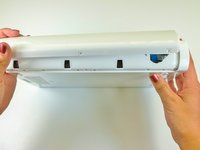
No lado oposto às saídas de ventilação, deslize a capa traseira em direção à parte de trás do console e puxe para cima para soltá-la.
-
-
-
Na parte inferior do console, abaixo da faceplate removida anteriormente, retire os três parafusos Tri-wing Y1 de 13,2 mm.
-
-
-
-
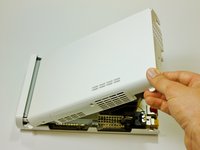
Na parte traseira do console, levante e solte a tampa superior principal.
-
-
-
-
-
Gire o dispositivo de forma que a placa frontal esteja virada para você.
-
Em cada lado do console, remova o parafuso Phillips de 3,5 mm que conecta o leitor de DVD à placa frontal.
-
-
-
Gire o dispositivo de modo que a placa frontal fique no lado direito e o cabo plano esteja visível.
-
O cabo plano é conectado ao sistema por uma trava que segura a aba azul. Levante essa trava para destravá-la.
-
Levante a aba azul para soltar o cabo plano.
-
-
-
-
-
Em cada lado da unidade de DVD, remova os dois parafusos Phillips de montagem de 4,6 mm.
-
-
-
Gire o dispositivo de modo que a ranhura da unidade de disco fique visível.
-
Levante a unidade de disco do suporte e vire-a para a direita, para que fique aberta como um livro.
-
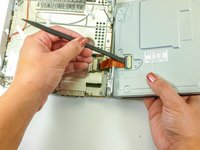
Use uma espátula para soltar o cabo plano.
-
-




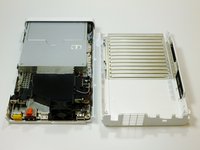


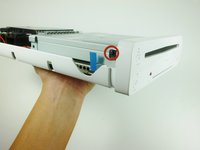
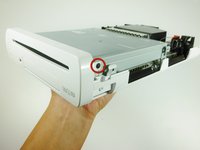


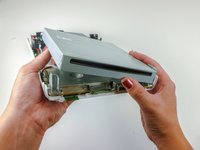

Para a remontagem de seu dispositivo, siga estas instruções na ordem inversa.
Cancelar: não concluí este guia.
61 outras pessoas executaram este guia.
Um agradecimento especial a esses tradutores:
100%

Translation Bot está nos ajudando a consertar o mundo! Quer contribuir?
Comece a traduzir ›

Equipe

Cal Poly, Team 17-20, Forte Winter 2013 Membro de Cal Poly, Team 17-20, Forte Winter 2013
CPSU-FORTE-W13S17G20
5 Membros
Autoria de 88 guias
49Comentários do guia
I've done with twice with two different drives ordered on Ebay, and keep getting the same error code (160-1402). Is the place I'm buying from selling bad drives, or is there something else that needs to be done after? It goes back to working when I put my old one back in, so I know I'm physically doing it correctly.
Update : For anybody else having this problem, you have to change out the logic board from your old drive to the new one. Pain in the neck, but works!
What do you mean by change out the logic board?
the logic board is inside the disk drive. Remove it and replace it into the new disk drive. This is the same on the Xbox and Playstation
Did an update it failed rebooted and now get a 160-1402. With the DVD drive cover off the Spindle isnt moving. Suspect Drive would seem 160-XXXX is DVD Drive related Errors
