Introdução
Having trouble connecting to the internet on your Nintendo DS Lite? Replace the Wi-Fi board to get reconnected.
O que você precisa
-
-
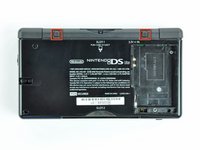
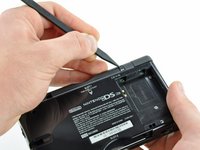
Unscrew the Phillips screw securing the battery cover to the lower case.
-
Pry the battery cover upward with a spudger or fingernail, and lift out of the lower case.
 Pergunte ao FixBot
-
-
-
Wedge the edge of a spudger in between the side of the battery and the lower case housing and pry upward to dislodge the battery.
-
Remove the battery from the DS Lite.
-
-
-
Use the tip of a spudger to pry both rubber feet off the DS Lite.
-
-
-
Remove the following screws securing the lower case to the body of the DS Lite:
-
Two 4.3 mm gold Phillips screws
-
One 3.9 mm black Tri-point screw
-
One 3.3 mm silver Phillips screw
-
Three 5.5 mm silver Tri-point screws
-
-
-
-
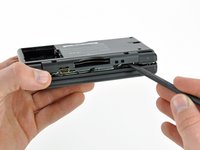
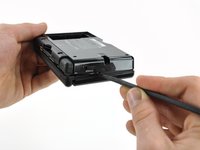
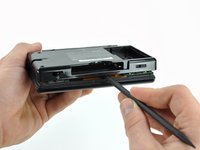
Insert the edge of a spudger in between the lower and upper case near the top right corner of the DS Lite.
-
Carefully run the spudger along the right edge of the DS Lite, creating an opening in the process.
-
Continue running the spudger along the backside of the DS Lite until the majority of the lower case has been separated from the upper case.
-
-
-
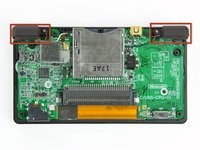
Use the flat edge of a spudger to pry the Wi-Fi antenna connector straight up from its socket on the Wi-Fi board.
-
-
-
Use the flat edge of a spudger to pry the Wi-Fi board connector straight up from its socket on the motherboard.
-
-
-
Use the flat edge of a spudger to separate the right edge of the Wi-Fi board from the motherboard.
-
Remove the Wi-Fi board from the DS Lite.
-






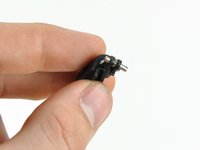


To reassemble your device, follow these instructions in reverse order.
Cancelar: não concluí este guia.
10 outras pessoas executaram este guia.

3Comentários do guia
So I came across a "Prison edition" DSLite out of the Kentucky DOC It I was told that the wifi card was disabled but I take it apart and see that it is still there pluged in and everything you don't happen to know how to turn it back on do you it is a gift for my little brother and would like the WiFi to work.
Question anyone knows what the pin layout of the board
Merhaba Nintendo Ds lite da wifi kartı bozuldugunda ekran açılmaması normal mi ds lite a güç geliyor ışıklar yanıyor ama ekran gelmiyor
