Ir para o conteúdo principal

Nexus 5X Motherboard Assembly Replacement

Pré-requisito somente
Este é um guia somente para pré-requisitos! Este guia faz parte de outro procedimento e não deve ser usado sozinho.

O que você precisa

  1. Nexus 5X Motherboard Assembly Replacement, Motherboard Assembly: passo 1, imagem 1 %32
    • Use an iOpener to loosen the adhesive beneath the rear facing camera. Place the iOpener across the top part of the phone for about 30 seconds.

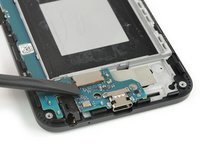
  2. Nexus 5X Motherboard Assembly Replacement: passo 2, imagem 1 %32 Nexus 5X Motherboard Assembly Replacement: passo 2, imagem 2 %32
    • Apply the flat end of a spudger to the left side of the rear facing camera and carefully lever it up. Make sure all of the adhesive underneath is loosened.

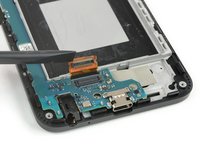
  3. Nexus 5X Motherboard Assembly Replacement: passo 3, imagem 1 %32 Nexus 5X Motherboard Assembly Replacement: passo 3, imagem 2 %32
    • Use the flat end of a spudger to pry up the display flex connector.

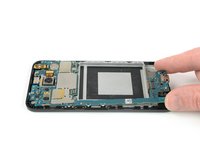
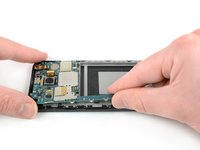
  4. Nexus 5X Motherboard Assembly Replacement: passo 4, imagem 1 %32 Nexus 5X Motherboard Assembly Replacement: passo 4, imagem 2 %32 Nexus 5X Motherboard Assembly Replacement: passo 4, imagem 3 %32
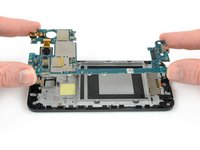
    • Grip the lower part of the motherboard with your fingers and carefully lift it upwards.

    • There's a small plastic clip next to the rear-facing camera that holds the motherboard in place.

    • Gently pull the motherboard towards the bottom edge to free it from the plastic clip next to the rear-facing camera.

    • Carefully lift the motherboard out of the frame.

    • Be careful—the two cameras are still connected to the board.

Conclusão

To reassemble your device, follow these instructions in reverse order.

Dominik Schnabelrauch

Membro desde: 11/23/16

246.826 Reputação

Autoria de 682 guias

Equipe

iFixit Membro de iFixit

Staff

123 Membros

Autoria de 23.639 guias

0Comentários do guia

Comentar

Visualizações:

Últimas 24 horas: 0

Últimos 7 dias: 0

Últimos 30 dias: 0

Ao todo: 127