Ir para o conteúdo principal
Participe da comunidade de reparos - Criar conta

NVIDIA SHIELD Portable Motherboard Replacement

Visualizações: 2,7 mil

Visualizar Estatísticas:

Últimas 24 horas:
1
Últimos 7 dias:
14
Últimos 30 dias:
88
Ao todo:
2.714
Comentários: 2

1 comment on steps, 1 guide comment.

Go to guide comments
Concluído: 3

3 pessoas marcaram este guia como "concluído". Será você o próximo?

Favorites: 1

1 pessoa favoritou (e se inscreveu) neste guia. Você será o próximo?

Tempo necessário: 25 - 45 minutos
Dificuldade: Moderado
NVIDIA SHIELD Portable Motherboard Replacement

Introdução

Ir para o passo 1 ↓

This guide explains how to replace the motherboard in the NVIDIA SHIELD Portable or NSP (model number: 945-12450-0001-000), a handheld game console released by nVidia in 2013. The motherboard allows all the components of the controller to communicate with one another. Signs of motherboard failure can include: display malfunctioning, error codes appearing, system locking or rebooting, or external ports failing. By following the steps in this guide, you will be able to successfully access and replace the motherboard in your NVIDIA SHIELD Portable.

O que você precisa

Ferramentas

    1. NVIDIA SHIELD Portable Motherboard Replacement, Remove Front Panel: passo 1, imagem 1 %32 NVIDIA SHIELD Portable Motherboard Replacement, Remove Front Panel: passo 1, imagem 2 %32 NVIDIA SHIELD Portable Motherboard Replacement, Remove Front Panel: passo 1, imagem 3 %32
      • Remove the seven 6.4mm T5 Torx screws from the back panel.

      • Use the spudger to separate the front and back panels.

      Pergunte ao FixBot

      Comentar

    2. NVIDIA SHIELD Portable Motherboard Replacement, Remove Green Grill: passo 2, imagem 1 %32 NVIDIA SHIELD Portable Motherboard Replacement, Remove Green Grill: passo 2, imagem 2 %32
      • The green grill is not screwed in so it can be pulled right out.

      Pergunte ao FixBot

      Comentar

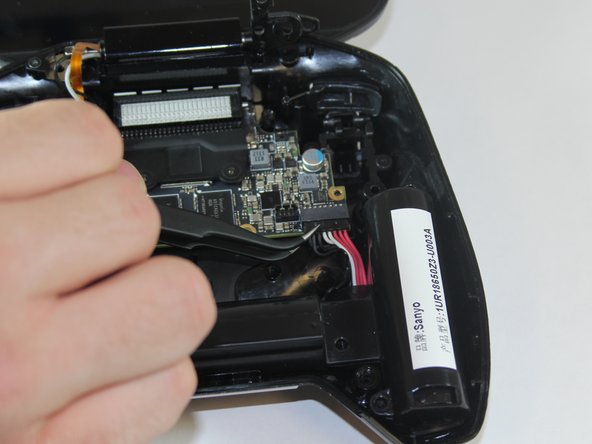
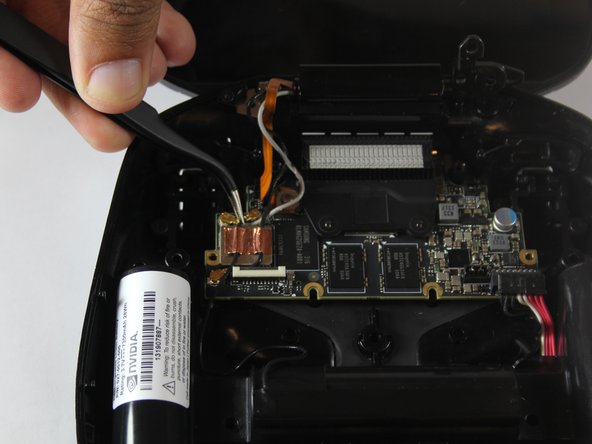
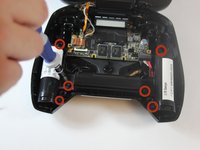
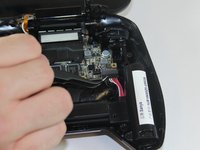
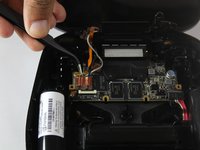
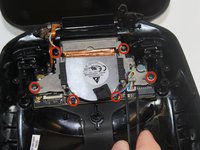
    3. NVIDIA SHIELD Portable Motherboard Replacement, Remove Battery Cables: passo 3, imagem 1 %32 NVIDIA SHIELD Portable Motherboard Replacement, Remove Battery Cables: passo 3, imagem 2 %32 NVIDIA SHIELD Portable Motherboard Replacement, Remove Battery Cables: passo 3, imagem 3 %32
      • Remove the six 6.5mm T5 Torx screws.

      • Disconnect the power wires.

      • Peel back the copper tape and disconnect the black and white wires.

      Pergunte ao FixBot

      Comentar

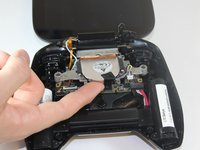
    4. NVIDIA SHIELD Portable Motherboard Replacement, Remove Battery Apparatus: passo 4, imagem 1 %32
      • Pull the battery apparatus out once all cables are removed.

      Pergunte ao FixBot

      Comentar

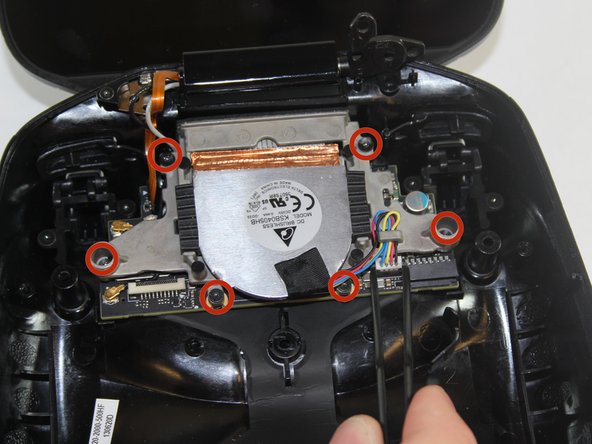
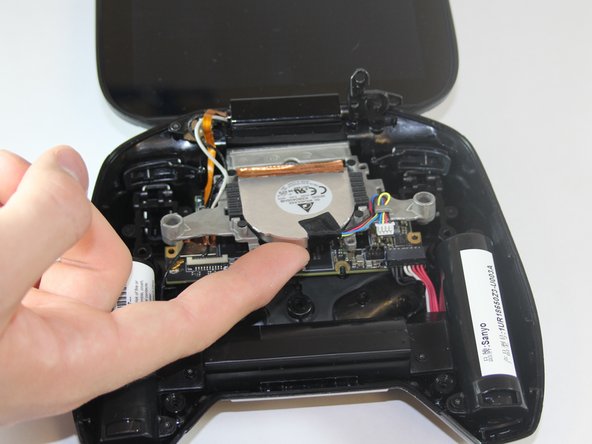
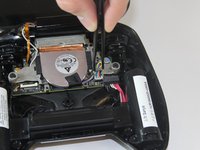
    1. NVIDIA SHIELD Portable Motherboard Replacement, Removing Fan: passo 5, imagem 1 %32 NVIDIA SHIELD Portable Motherboard Replacement, Removing Fan: passo 5, imagem 2 %32 NVIDIA SHIELD Portable Motherboard Replacement, Removing Fan: passo 5, imagem 3 %32
      • Cooling is important for electronics, the last thing they want is to overheat.

      • Remove the two 7.3mm and four 8.4mm T5 Torx screws and disconnect the power cable.

      • Lift the fan free after the screws and cable are removed.

      Pergunte ao FixBot

      Comentar

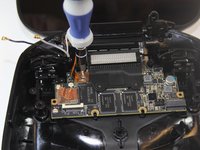
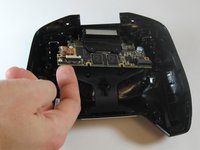
    1. NVIDIA SHIELD Portable Motherboard Replacement, Removing Logic Board: passo 6, imagem 1 %32 NVIDIA SHIELD Portable Motherboard Replacement, Removing Logic Board: passo 6, imagem 2 %32 NVIDIA SHIELD Portable Motherboard Replacement, Removing Logic Board: passo 6, imagem 3 %32
      • The large board under the back case is the motherboard.

      • Using your T5 Torx screwdriver, remove six screws from the motherboard—two 7.3 mm screws and four 8.4 mm screws.

      • Simply pull gently on the edges of the board, wiggling it if necessary so as not to damage the ports at the top of the board.

      Pergunte ao FixBot

      Comentar

Conclusão

To reassemble your device, follow these instructions in reverse order.

Cancelar: não concluí este guia.

3 outras pessoas executaram este guia.

Marc Perez

Membro desde: 09/29/14

545 Reputação

Autoria de 2 guias

Equipe

USF Tampa, Team 1-1, Hickman Fall 2014 Membro de USF Tampa, Team 1-1, Hickman Fall 2014

USFT-HICKMAN-F14S1G1

4 Membros

Autoria de 72 guias

1Comentário do guia

Hay ich suche Ersatzteile für Nvidia shield Portable ich suche Board da wo kühler drauf ist , weil mein ist kaput gegangen :(

Konstantin Styngu - Responder Compartilhar

Comentar

Visualizações:

Últimas 24 horas: 1

Últimos 7 dias: 14

Últimos 30 dias: 88

Ao todo: 2,714