Introdução
Replace the SIM card in your i850!
-
-
Use your thumb to slide the back cover locker away from the antenna.
 Pergunte ao FixBot
-
-
-
Slide the back cover towards the antenna while lifting the cover away from the phone.
-
-
-
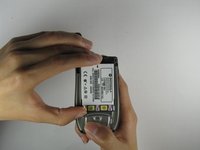
Place your thumb on the indicated corner while stabilizing the phone and the upper portion of the battery with your forefinger.
-
-
-
-
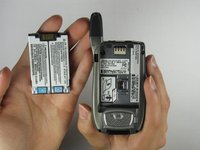
Lift the battery out of the phone while pushing it towards the antenna.
-
-
-
Slide the SIM Card door latch away from the SIM Card. The door should pop open. If it does not pop open, use a fingernail to open it.
-
-
-
Lift the SIM Card with your thumb and forefinger to complete the removal of the SIM card!
-




To reassemble your device, follow these instructions in reverse order.

Equipe

Cal Poly, Team 34-56, Forte Spring 2010 Membro de Cal Poly, Team 34-56, Forte Spring 2010
CPSU-FORTE-S10S34G56
4 Membros
Autoria de 10 guias
