Ir para o conteúdo principal
Participe da comunidade de reparos - Criar conta

Motorola V551 Keypad Replacement

O que você precisa

  1. Motorola V551 Keypad Replacement, Battery: passo 1, imagem 1 %32 Motorola V551 Keypad Replacement, Battery: passo 1, imagem 2 %32
    • Press down on the chrome button on the bottom of the chassis. Simultaneously slide the back cover down, away from the phone.

    Pergunte ao FixBot

    Comentar

  2. Motorola V551 Keypad Replacement: passo 2, imagem 1 %32
    • Lever the battery out by pressing upwards on the bottom corners of the battery.

    Pergunte ao FixBot

    Comentar

  3. Motorola V551 Keypad Replacement, Circuit Board: passo 3, imagem 1 %32 Motorola V551 Keypad Replacement, Circuit Board: passo 3, imagem 2 %32 Motorola V551 Keypad Replacement, Circuit Board: passo 3, imagem 3 %32
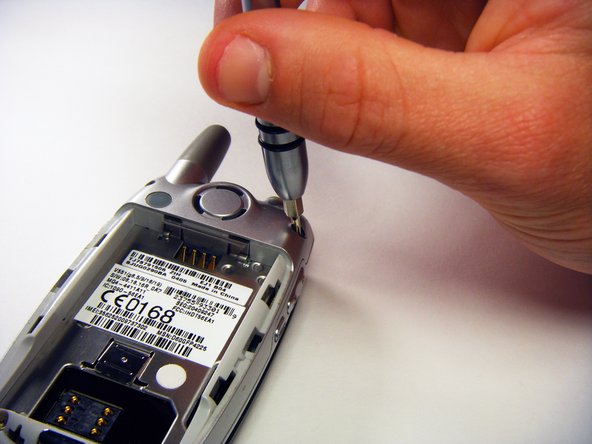
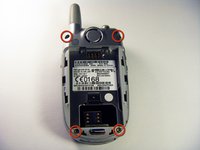
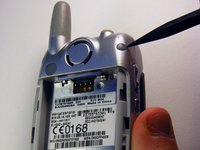
    • Remove the rubber screw covers using a plastic spudger.

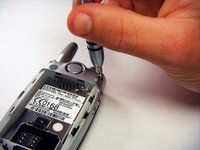
    • Use a T6 Torx screwdriver to remove the screws underneath the rubber screw covers.

    Pergunte ao FixBot

    Comentar

  4. Motorola V551 Keypad Replacement: passo 4, imagem 1 %32
    • Unscrew the antenna.

    Pergunte ao FixBot

    Comentar

  5. Motorola V551 Keypad Replacement: passo 5, imagem 1 %32 Motorola V551 Keypad Replacement: passo 5, imagem 2 %32 Motorola V551 Keypad Replacement: passo 5, imagem 3 %32
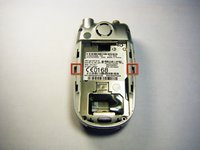
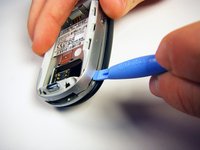
    • Gently release the two latches using an opening tool.

    • The plastic latches are very fragile. Don’t use excessive force or they might break.

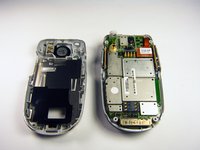
    • Pry off the back panel by wedging an opening tool into the crevice between the back panel and the circuit board.

    • Lift the back panel off of the phone.

    Pergunte ao FixBot

    Comentar

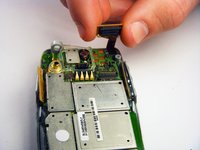
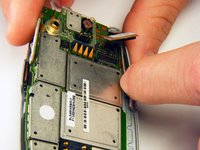
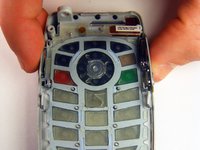
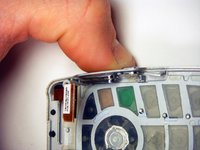
  6. Motorola V551 Keypad Replacement: passo 6, imagem 1 %32 Motorola V551 Keypad Replacement: passo 6, imagem 2 %32
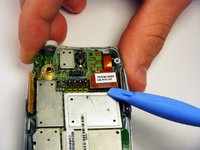
    • Loosen the copper circuit board connection with an opening tool.

    • Gently lift the copper connection.

    Pergunte ao FixBot

    Comentar

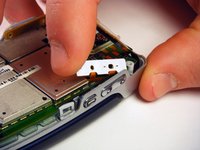
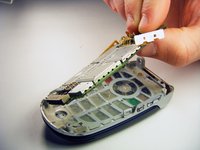
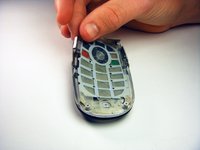
  7. Motorola V551 Keypad Replacement: passo 7, imagem 1 %32 Motorola V551 Keypad Replacement: passo 7, imagem 2 %32 Motorola V551 Keypad Replacement: passo 7, imagem 3 %32
    • Lift up and pull out the pressure pad from under the buttons on the side of the chassis.

    • Gently lift the motherboard off of the front panel.

    Pergunte ao FixBot

    Comentar

  8. Motorola V551 Keypad Replacement, Keypad: passo 8, imagem 1 %32 Motorola V551 Keypad Replacement, Keypad: passo 8, imagem 2 %32 Motorola V551 Keypad Replacement, Keypad: passo 8, imagem 3 %32
    • Push both side keys in so they are not sticking out of the phone.

    • Remove the keypad.

    Pergunte ao FixBot

    Comentar

Conclusão

To reassemble your device, follow these instructions in reverse order.

Cancelar: não concluí este guia.

2 outras pessoas executaram este guia.

gregatron

Membro desde: 10/29/09

105 Reputação

Autoria de 6 guias

Equipe

Cal Poly, Team 6-6, Maness Fall 2009 Membro de Cal Poly, Team 6-6, Maness Fall 2009

CPSU-MANESS-F09S6G6

4 Membros

Autoria de 12 guias

0Comentários do guia

Comentar

Visualizações:

Últimas 24 horas: 2

Últimos 7 dias: 11

Últimos 30 dias: 48

Ao todo: 2,438