Ir para o conteúdo principal

Motorola Moto G 1st Generation Front Camera Replacement

O que você precisa

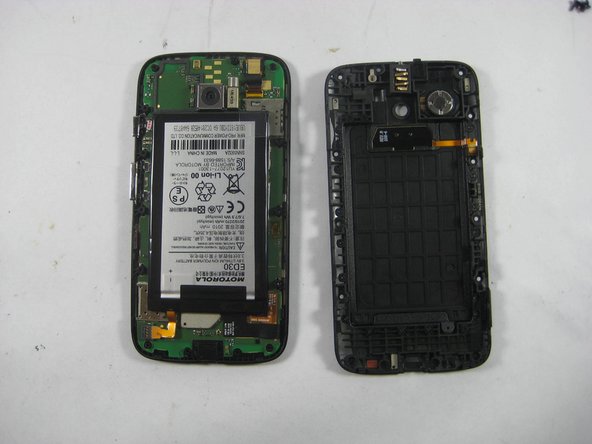
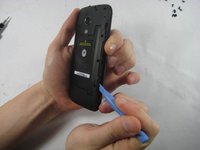
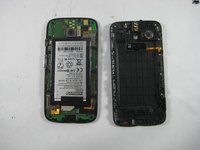
  1. Motorola Moto G 1st Generation Front Camera Replacement, Rear Panel: passo 1, imagem 1 %32 Motorola Moto G 1st Generation Front Camera Replacement, Rear Panel: passo 1, imagem 2 %32 Motorola Moto G 1st Generation Front Camera Replacement, Rear Panel: passo 1, imagem 3 %32
    • Before you start following any of the steps of this guide, completely turn the device off.

    • Take the plastic back cover off by either using a plastic Pry tool or simply using your hands. Start from the bottom by the charging port

  2. Motorola Moto G 1st Generation Front Camera Replacement, Removing the Screws: passo 2, imagem 1 %32
    • Unscrew the 3.5mm screws, total of 14, located on the back protective cover by using a T5 Torx screwdriver.

  3. Motorola Moto G 1st Generation Front Camera Replacement, Removing the Battery Cover: passo 3, imagem 1 %32 Motorola Moto G 1st Generation Front Camera Replacement, Removing the Battery Cover: passo 3, imagem 2 %32
    • Use a plastic opening tool to remove the protective cover.

    • Carefully work the plastic tool around all the edges of the phone.

    • The protective cover holds the Volume and the Home buttons which might fall off the assembly when the cover is removed.

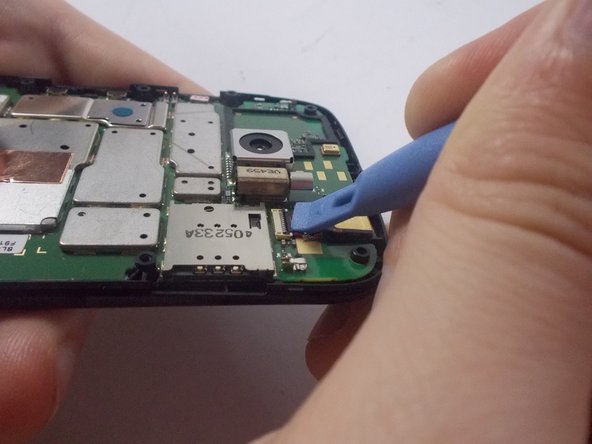
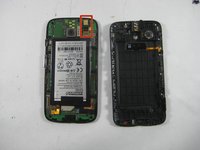
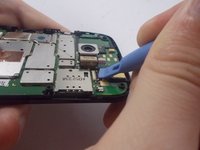
  4. Motorola Moto G 1st Generation Front Camera Replacement, Disconnecting the Front Camera: passo 4, imagem 1 %32 Motorola Moto G 1st Generation Front Camera Replacement, Disconnecting the Front Camera: passo 4, imagem 2 %32
    • Use the Pry tool to disconnect the Front Camera, found in the upper right corner, from the motherboard.

    • You want to pry up the black tab that locks it in place. It may be under a protective sticker.

    • Though the battery is removed in our second photo, it is not required for removing the front camera.

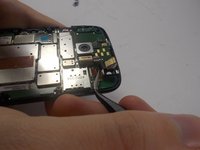
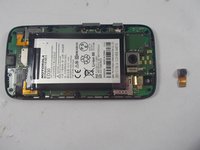
  5. Motorola Moto G 1st Generation Front Camera Replacement, Removing the Front Camera: passo 5, imagem 1 %32 Motorola Moto G 1st Generation Front Camera Replacement, Removing the Front Camera: passo 5, imagem 2 %32
    Ferramenta utilizada neste passo:
    Tweezers
    $4.99
    • Remove the camera from the phone by using the tweezers.

    • To reassemble, follow the steps in reverse.

Conclusão

To reassemble your device, follow these instructions in reverse order.

4 outras pessoas executaram este guia.

Radostin Lobodov

Membro desde: 10/16/14

2.946 Reputação

Autoria de 6 guias

Equipe

0Comentários do guia

Comentar

Visualizações:

Últimas 24 horas: 0

Últimos 7 dias: 1

Últimos 30 dias: 9

Ao todo: 1,400