Introdução
How to remove the battery cover and the battery. This is useful for inspection or replacement of the battery, or for beginning general disassembly of the phone.
-
-
Place the phone with the screen facedown on a flat surface.
 Pergunte ao FixBot
-
-
-
-
Pinch the latch upwards towards the top of the phone.
-
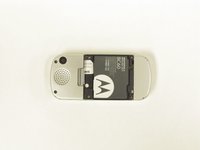
Lift the back cover of the phone.
-
-
-
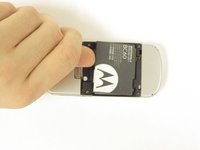
Remove the battery by pressing on the edge of the battery from the top of the phone towards the bottom and lifting up.
-


To reassemble your device, follow these instructions in reverse order.

Equipe

Michigan Tech, Team 1-6, Lauer Fall 2014 Membro de Michigan Tech, Team 1-6, Lauer Fall 2014
MTU-LAUER-F14S1G6
3 Membros
Autoria de 6 guias
1Comentário do guia
I can't it's battery anymore anywhere at our location.
