Ir para o conteúdo principal
Participe da comunidade de reparos - Criar conta

Mac mini Model A1283 Interconnect Board Replacement

O que você precisa

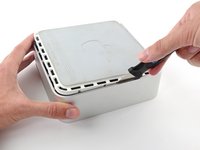
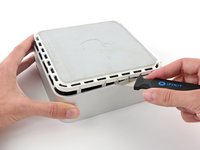
  1. Mac mini Model A1283 Interconnect Board Replacement, Top Housing: passo 1, imagem 1 %32 Mac mini Model A1283 Interconnect Board Replacement, Top Housing: passo 1, imagem 2 %32
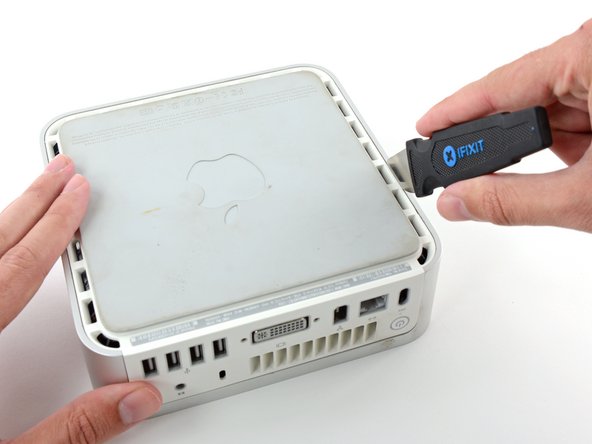
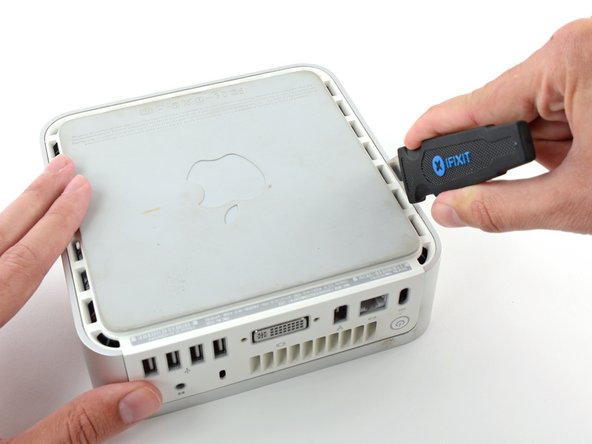
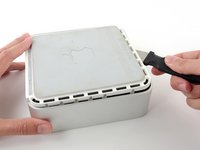
    • Power down your Mac mini, disconnect all of the cables, and flip it over.

    • Insert the Jimmy into the crack between the aluminum top housing and the plastic lower housing.

    • The Jimmy should reach a stop about 3/8" down.

    Pergunte ao FixBot
  2. Mac mini Model A1283 Interconnect Board Replacement: passo 2, imagem 1 %32 Mac mini Model A1283 Interconnect Board Replacement: passo 2, imagem 2 %32 Mac mini Model A1283 Interconnect Board Replacement: passo 2, imagem 3 %32
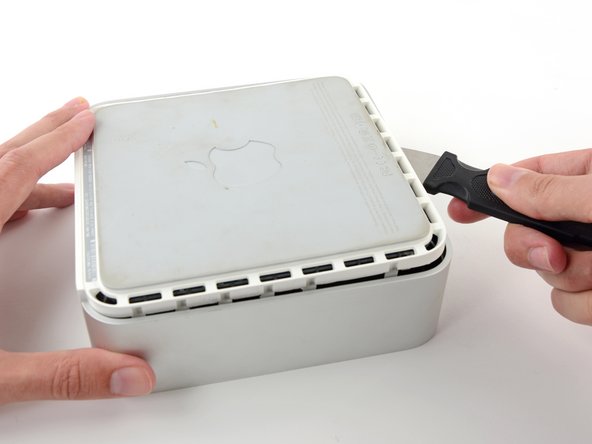
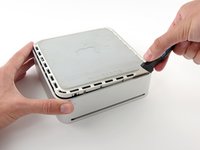
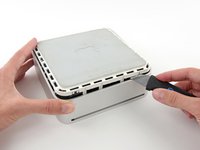
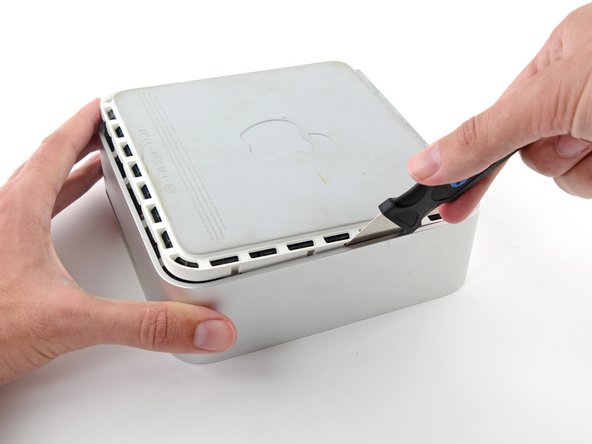
    • Gently bend the Jimmy outwards to pry the crack open a little larger and lift the lower housing up a small amount.

    • There are several plastic clips on the lower housing that fit into a channel in the aluminum top housing. Your goal is to use the Jimmy to push these clips inward enough to free them from the channel, while gently pulling up on the lower housing.

    Pergunte ao FixBot
  3. Mac mini Model A1283 Interconnect Board Replacement: passo 3, imagem 1 %32 Mac mini Model A1283 Interconnect Board Replacement: passo 3, imagem 2 %32
    • Once you have the first side free, rotate the Mac mini and start prying up on the front edge.

    • Use the same prying motion to both bend the clips inward and lift the lower housing up out of the top housing.

    Pergunte ao FixBot
  4. Mac mini Model A1283 Interconnect Board Replacement: passo 4, imagem 1 %32 Mac mini Model A1283 Interconnect Board Replacement: passo 4, imagem 2 %32
    • You may need to move the Jimmy along the edge to pry up all of the clips. Be patient and do a little bit at a time.

    Pergunte ao FixBot
  5. Mac mini Model A1283 Interconnect Board Replacement: passo 5, imagem 1 %32 Mac mini Model A1283 Interconnect Board Replacement: passo 5, imagem 2 %32
    • Keep working around the perimeter, freeing the clips along the final edge.

    Pergunte ao FixBot
  6. Mac mini Model A1283 Interconnect Board Replacement: passo 6, imagem 1 %32 Mac mini Model A1283 Interconnect Board Replacement: passo 6, imagem 2 %32
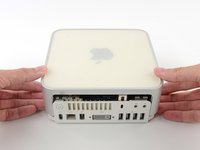
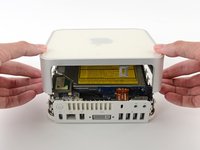
    • Flip the Mac mini back over and lift the top housing off of the lower housing.

    Pergunte ao FixBot
  7. Mac mini Model A1283 Interconnect Board Replacement, Internal Frame: passo 7, imagem 1 %32
    • In the next few steps you will be removing the AirPort and Bluetooth antennas (shown in red) from the internal frame. Be very careful, as breaking the brackets will require replacing the internal frame.

    • We will first remove the AirPort antenna, located in the lower left corner of this picture.

    Pergunte ao FixBot
  8. Mac mini Model A1283 Interconnect Board Replacement: passo 8, imagem 1 %32 Mac mini Model A1283 Interconnect Board Replacement: passo 8, imagem 2 %32
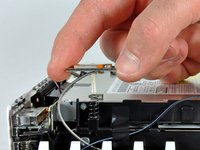
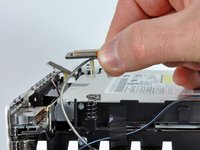
    • Slightly squeeze the two retaining arms toward each other and lift the AirPort antenna off its post.

    • Squeezing the two posts excessively will surely break them off the internal frame. Work delicately.

    • During reinstallation, you will have to slightly squeeze the two posts together so they fit into the openings on the AirPort antenna board.

    Pergunte ao FixBot
  9. Mac mini Model A1283 Interconnect Board Replacement: passo 9, imagem 1 %32 Mac mini Model A1283 Interconnect Board Replacement: passo 9, imagem 2 %32
    • The two Bluetooth antenna boards simply lift off the internal frame.

    • Grab the Bluetooth antenna nearest the port side of the computer by the edges of the board and pull it straight up off the internal frame.

    • Pull carefully, as it may offer significant resistance and release suddenly.

    Pergunte ao FixBot
  10. Mac mini Model A1283 Interconnect Board Replacement: passo 10, imagem 1 %32
    • Remove the antenna board near the front of the mini by pulling it straight up off the internal frame.

    • If necessary, remove the piece of tape securing the antenna leads to the internal frame.

    • Be sure to keep track of the springs under each of the three antenna boards.

    Pergunte ao FixBot
  11. Mac mini Model A1283 Interconnect Board Replacement: passo 11, imagem 1 %32
    • Use the flat end of a spudger to pry the audio ribbon cable connector up off the audio board.

    Pergunte ao FixBot
  12. Mac mini Model A1283 Interconnect Board Replacement: passo 12, imagem 1 %32
    • Remove the following four screws securing the internal frame to the bottom housing:

    • Three 6.7 mm Phillips #00 screws

    • One 9.5 mm Phillips #00 screw

    • The screw in the lower right corner of this image is recessed deep in the internal frame and longer than the other three screws. A flashlight and a thin screwdriver aid in removal.

    Pergunte ao FixBot
  13. Mac mini Model A1283 Interconnect Board Replacement: passo 13, imagem 1 %32
    • Lift the internal frame off the bottom housing, starting at the rear edge, until you feel the concealed edge connector on the motherboard disconnect. Then lift straight off, minding the bluetooth and 802.11 antenna cables.

    • When reassembling, the wifi antenna wire routes to the inside of the vent and then over the top of the vent.

    Pergunte ao FixBot
  14. Mac mini Model A1283 Interconnect Board Replacement, Interconnect Board: passo 14, imagem 1 %32
    • Use the flat end of a spudger to pry the audio ribbon cable connector up off the interconnect board.

    Pergunte ao FixBot
  15. Mac mini Model A1283 Interconnect Board Replacement: passo 15, imagem 1 %32
    • Use the flat end of a spudger to pry the following connectors up off the interconnect board:

    • Fan cable.

    • Speaker cable.

    • IR board cable.

    Pergunte ao FixBot
  16. Mac mini Model A1283 Interconnect Board Replacement: passo 16, imagem 1 %32
    • Use the flat end of a spudger to pry the hard drive thermal sensor cable connector up off the interconnect board.

    Pergunte ao FixBot
  17. Mac mini Model A1283 Interconnect Board Replacement: passo 17, imagem 1 %32
    • Remove the two Phillips screws securing the interconnect board to the optical drive.

    Pergunte ao FixBot
  18. Mac mini Model A1283 Interconnect Board Replacement: passo 18, imagem 1 %32 Mac mini Model A1283 Interconnect Board Replacement: passo 18, imagem 2 %32
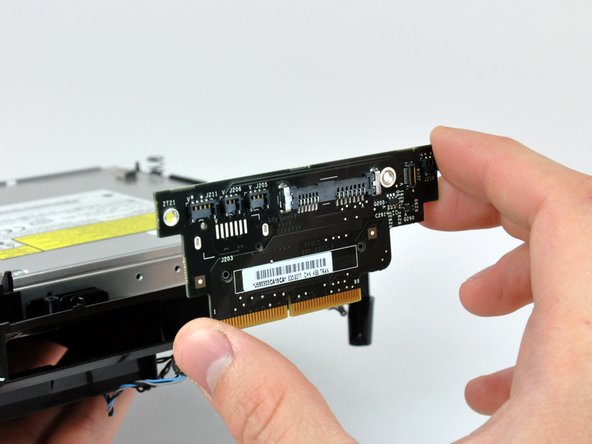
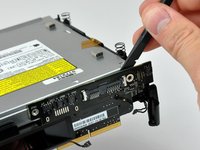
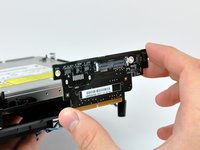
    • Use the flat end of a spudger to separate the interconnect board from the optical and hard drives.

    • Pull the interconnect board away from the drives and remove it from the internal frame.

    Pergunte ao FixBot
Conclusão

To reassemble your device, follow these instructions in reverse order.

5 outras pessoas executaram este guia.

0Comentários do guia

Comentar

Visualizações:

Últimas 24 horas: 2

Últimos 7 dias: 22

Últimos 30 dias: 108

Ao todo: 10,606