Ir para o conteúdo principal
Participe da comunidade de reparos - Criar conta

LG Voyager Keyboard Replacement

O que você precisa

  1. LG Voyager Keyboard Replacement, Battery: passo 1, imagem 1 %32
    • Turn over the phone so the front screen is facing down and the back side is up.

    Pergunte ao FixBot

    Comentar

  2. LG Voyager Keyboard Replacement: passo 2, imagem 1 %32
    • Pull down on the button at the bottom of the phone. The battery will pop up and can then be safely removed.

    Pergunte ao FixBot

    Comentar

  3. LG Voyager Keyboard Replacement: passo 3, imagem 1 %32
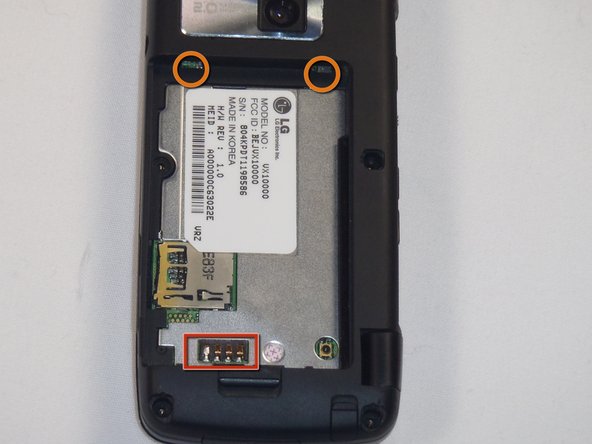
    • To install the new battery, position the battery so that the three small metal contacts of the battery are facing the three metal contacts of the phone

    • Insert the top of the battery, with the two plastic tabs, into their respective holes in the top

    • Then press down on the bottom of the battery and it should snap into place

    Pergunte ao FixBot

    Comentar

  4. LG Voyager Keyboard Replacement, Keyboard: passo 4, imagem 1 %32 LG Voyager Keyboard Replacement, Keyboard: passo 4, imagem 2 %32
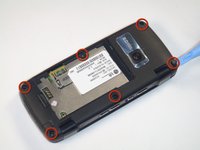
    • First remove the rubber stoppers covering the screws on the back of the phone by prying them up and away from the phone.

    Pergunte ao FixBot

    Comentar

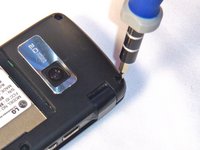
  5. LG Voyager Keyboard Replacement: passo 5, imagem 1 %32 LG Voyager Keyboard Replacement: passo 5, imagem 2 %32
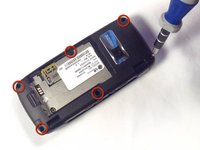
    • Remove the 3.61mm length, Phillips screws from the back of the phone using the #00 screwdriver.

    Pergunte ao FixBot

    Comentar

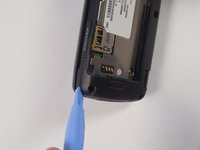
  6. LG Voyager Keyboard Replacement: passo 6, imagem 1 %32 LG Voyager Keyboard Replacement: passo 6, imagem 2 %32
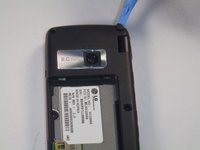
    • Now pry open the back of the phone.

    • Make sure that you use the plastic opening tool to go around the entire phone to help open the phone.

    Pergunte ao FixBot

    Comentar

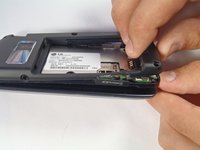
  7. LG Voyager Keyboard Replacement: passo 7, imagem 1 %32 LG Voyager Keyboard Replacement: passo 7, imagem 2 %32
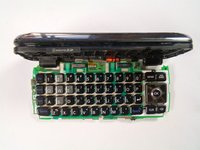
    • Carefully separate the keyboard from the top of the phone.

    • Be careful not to break the ribbon cable.

    Pergunte ao FixBot

    Comentar

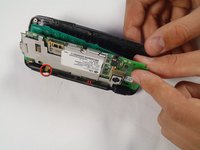
  8. LG Voyager Keyboard Replacement: passo 8, imagem 1 %32
    • Detach the keyboard from the phone by taking off the little metal latches.

    • When replacing the old keyboard with a new one you will have to solder the metal latches to the new board.

    Pergunte ao FixBot

    Comentar

Conclusão

To reassemble your device, follow these instructions in reverse order.

Cancelar: não concluí este guia.

Equipe

Cal Poly, Team 17-26, Amido Spring 2012 Membro de Cal Poly, Team 17-26, Amido Spring 2012

CPSU-AMIDO-S12S17G26

4 Membros

Autoria de 4 guias

0Comentários do guia

Comentar

Visualizações:

Últimas 24 horas: 4

Últimos 7 dias: 6

Últimos 30 dias: 33

Ao todo: 662