Introdução
When your device is failing to turn on or properly function, the motherboard may be faulty. Use this guide to remove and replace the motherboard in your device.
O que você precisa
-
-
Use a pair of iOpeners by heating them in a microwave and placing the hot pads on the edges of the phone.
-
Allow to sit for 1-2 minutes to heat up the adhesive.
 Pergunte ao FixBot
-
-
-
Insert an Opening Tool into the seam between the rear glass and side of the phone.
-
Pry the glass off just enough to insert an Opening Pick.
-
Slide the Opening Tool around the edges of the device, placing Opening Picks regularly.
-
-
-
Once all edges of the device are lifted free, use a Suction Handle to gently pull the rear glass off the device.
-
-
-
-
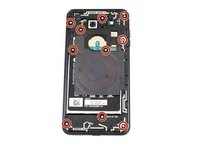
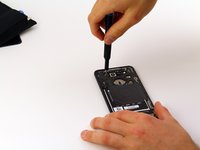
Remove the ten 4mm screws using the Phillips #00 Screwdriver.
-
-
-
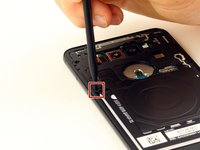
Gently push down on the small black tab with a Spudger to release the protective board.
-
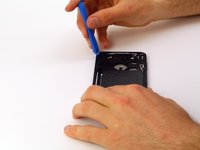
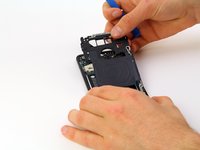
Slide an Opening Tool between the phone and the protective board and slide along the edges of the phone to unclip it.
-
Carefully wiggle the board back and forth while gently pulling to unclip the last attachment point.
-
-
-
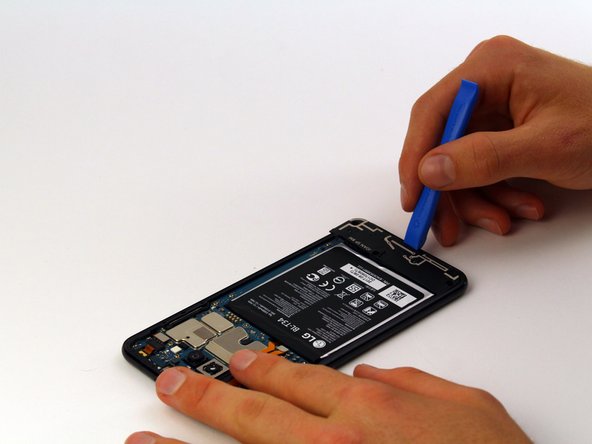
Slide an Opening Tool between the lower protective board and the phone to unclip.
-
Slide the tool along the remaining edges of the protective board until it pops off.
-
-
-
Gently pry each visible ribbon cable away from the motherboard to disconnect them.
-







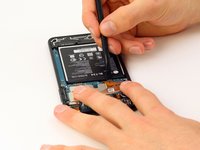
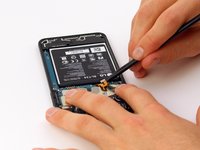

To reassemble your device, follow these instructions in reverse order.
Cancelar: não concluí este guia.
Uma outra pessoa concluiu este guia.

Equipe

Cal Poly, Team S1-G3, Maness Spring 2019 Membro de Cal Poly, Team S1-G3, Maness Spring 2019
CPSU-MANESS-S19S1G3
4 Membros
Autoria de 10 guias
1Comentário do guia
I followed these instructions and now my phone’s touchscreen is unresponsive. The phone turns off and on by holding the power button, and the screen displays the image properly, but it won’t respond to touch to unlock it.
