Ir para o conteúdo principal
Participe da comunidade de reparos - Criar conta

LG Realm Rear Facing Camera Replacement

O que você precisa

  1. LG Realm Rear Facing Camera Replacement, Battery: passo 1, imagem 1 %32 LG Realm Rear Facing Camera Replacement, Battery: passo 1, imagem 2 %32
    • To remove the back, insert thumbnail into MicroUSB port, and pull up to loosen back.

    • Use nail to loosen case on all four sides. Once loose, remove back case.

  2. LG Realm Rear Facing Camera Replacement: passo 2, imagem 1 %32
    • Insert thumbnail into tab below battery.

    • Pull away from phone and remove.

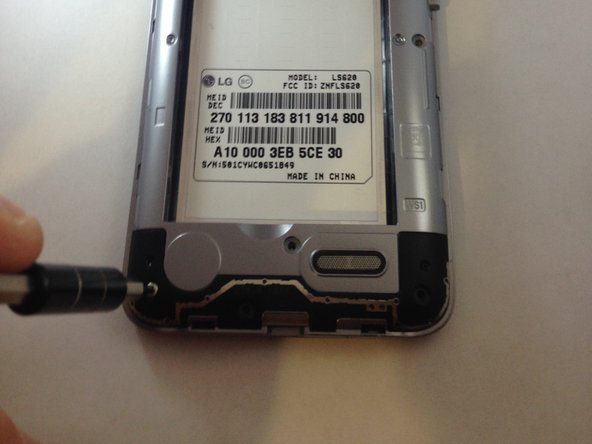
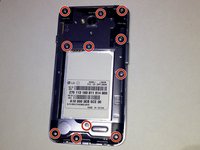
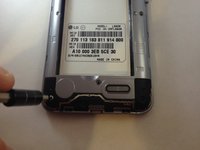
  3. LG Realm Rear Facing Camera Replacement, Plastic Midframe: passo 3, imagem 1 %32 LG Realm Rear Facing Camera Replacement, Plastic Midframe: passo 3, imagem 2 %32
    • Once the back cover and battery are removed, use the Phillips #J000 screwdriver to remove all 11 screws located around the plastic midframe.

  4. LG Realm Rear Facing Camera Replacement: passo 4, imagem 1 %32
    • Using the plastic opening tool, carefully pry and separate the plastic midframe from the rest of the phone.

  5. LG Realm Rear Facing Camera Replacement, Rear Facing Camera: passo 5, imagem 1 %32
    • Locate the rear facing camera.

    • Using the plastic opening tool, pry apart the cable from where it connects to the phone.

  6. LG Realm Rear Facing Camera Replacement: passo 6, imagem 1 %32
    • After removing the ribbon cable, the camera should be easy to remove with your fingers. Remove the rear facing camera.

Conclusão

To reassemble your device, follow these instructions in reverse order.

3 outras pessoas executaram este guia.

Emily Palmer

Membro desde: 03/07/16

326 Reputação

Autoria de 1 guia

Equipe

Marist, Team 1-5, Laflen Spring 2016 Membro de Marist, Team 1-5, Laflen Spring 2016

MARS-LAFLEN-S16S1G5

2 Membros

Autoria de 10 guias

0Comentários do guia

Comentar

Visualizações:

Últimas 24 horas: 1

Últimos 7 dias: 4

Últimos 30 dias: 24

Ao todo: 503