Ir para o conteúdo principal

Kaffelogic Nano 7/LINK (A/B/C-N Serial) LCD Board Replacement

O que você precisa

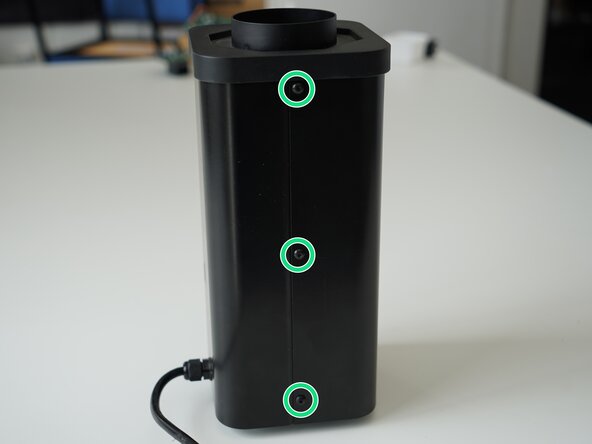
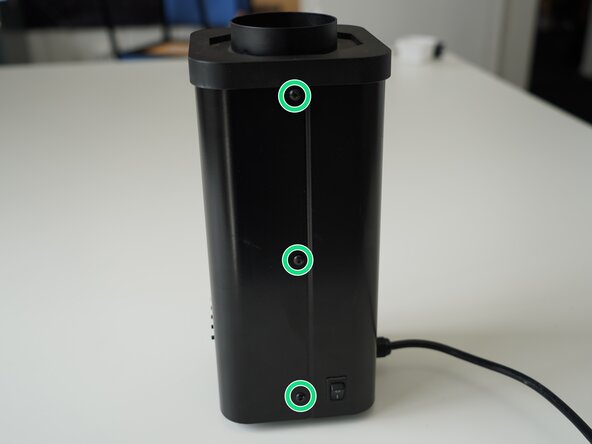
  1. Kaffelogic Nano 7/LINK (A/B/C-N Serial) LCD Board Replacement, Removing Panel Screws: passo 1, imagem 1 %32 Kaffelogic Nano 7/LINK (A/B/C-N Serial) LCD Board Replacement, Removing Panel Screws: passo 1, imagem 2 %32
    • Remove the 6x 2.5mm Hex screws on the left and right side of the roaster.

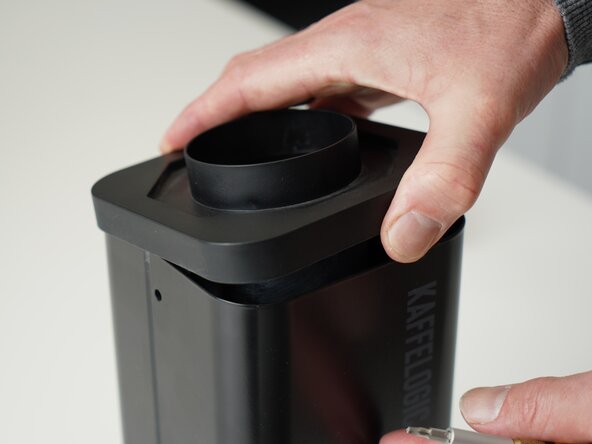
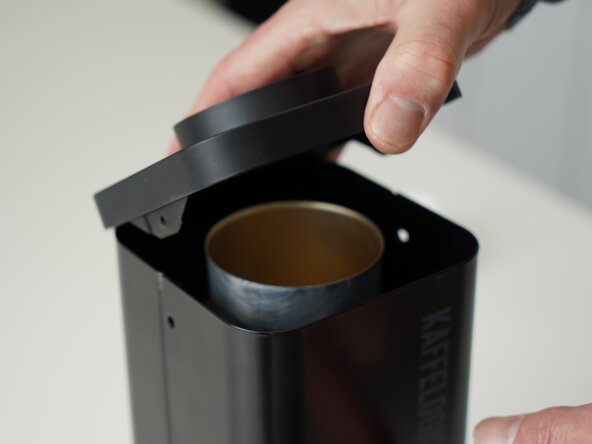
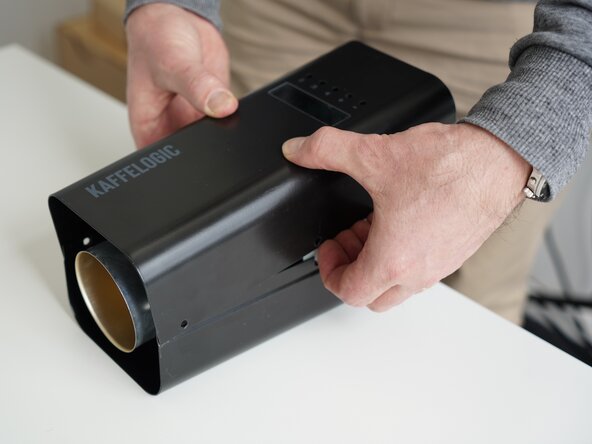
  2. Kaffelogic Nano 7/LINK (A/B/C-N Serial) LCD Board Replacement, Lift the closure: passo 2, imagem 1 %32 Kaffelogic Nano 7/LINK (A/B/C-N Serial) LCD Board Replacement, Lift the closure: passo 2, imagem 2 %32
    • Hold the roaster steady while removing the plastic top/closure.

    • Panels may spring apart slightly once removed.

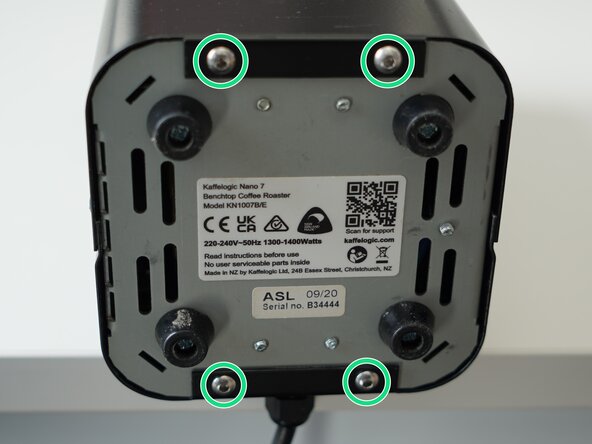
  3. Kaffelogic Nano 7/LINK (A/B/C-N Serial) LCD Board Replacement, Remove bottom panel screws: passo 3, imagem 1 %32 Kaffelogic Nano 7/LINK (A/B/C-N Serial) LCD Board Replacement, Remove bottom panel screws: passo 3, imagem 2 %32 Kaffelogic Nano 7/LINK (A/B/C-N Serial) LCD Board Replacement, Remove bottom panel screws: passo 3, imagem 3 %32
    • Remove the 4x 2.5mm Hex screws on the bottom of the roaster.

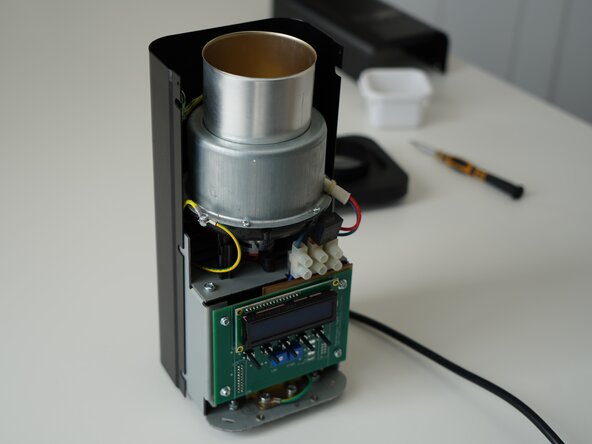
  4. Kaffelogic Nano 7/LINK (A/B/C-N Serial) LCD Board Replacement, Remove the front panel: passo 4, imagem 1 %32 Kaffelogic Nano 7/LINK (A/B/C-N Serial) LCD Board Replacement, Remove the front panel: passo 4, imagem 2 %32 Kaffelogic Nano 7/LINK (A/B/C-N Serial) LCD Board Replacement, Remove the front panel: passo 4, imagem 3 %32
    • Pull away the front panel carefully.

    • Take care not to damage the buttons while maneuvering the front panel.

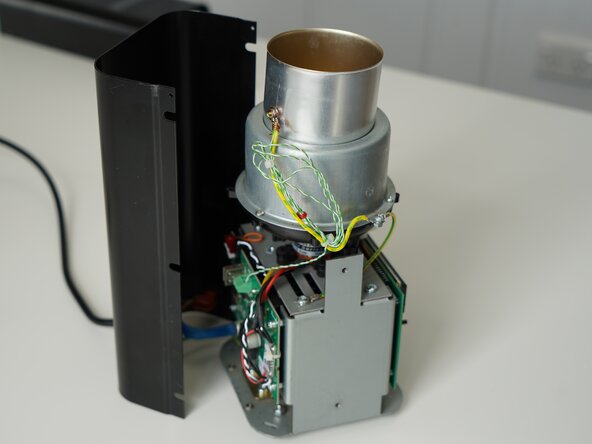
  5. Kaffelogic Nano 7/LINK (A/B/C-N Serial) LCD Board Replacement, Remove rear panel: passo 5, imagem 1 %32 Kaffelogic Nano 7/LINK (A/B/C-N Serial) LCD Board Replacement, Remove rear panel: passo 5, imagem 2 %32 Kaffelogic Nano 7/LINK (A/B/C-N Serial) LCD Board Replacement, Remove rear panel: passo 5, imagem 3 %32
    • Stand the roaster up again and pull away the rear panel from the chassis to expose the remaining components.

    • The mains cable is routed through the panel and it will remain attached, place the panel in a soft bag if you wish to protect the paint throughout the rest of your repairs.

  6. Kaffelogic Nano 7/LINK (A/B/C-N Serial) LCD Board Replacement, Remove PCB screws: passo 6, imagem 1 %32 Kaffelogic Nano 7/LINK (A/B/C-N Serial) LCD Board Replacement, Remove PCB screws: passo 6, imagem 2 %32 Kaffelogic Nano 7/LINK (A/B/C-N Serial) LCD Board Replacement, Remove PCB screws: passo 6, imagem 3 %32
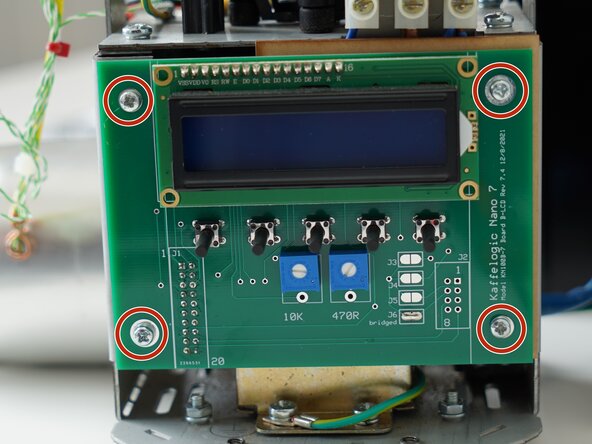
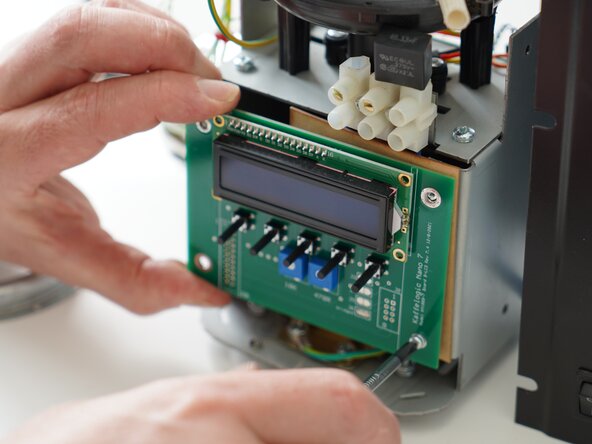
    • Remove the 4x PH2 screws securing the display board to the chassis.

    • If your ribbon cable is mounted on the front, disconnect it before unscrewing the PCB.

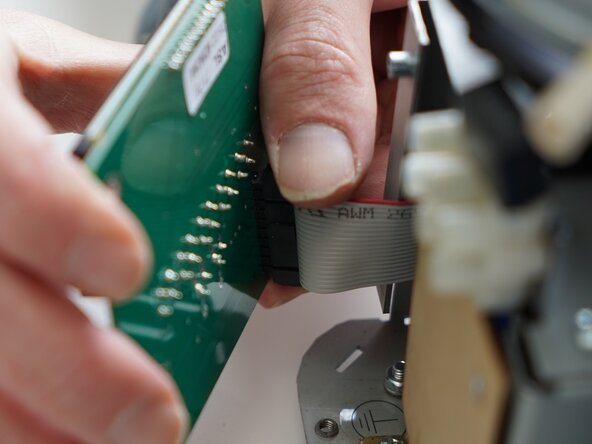
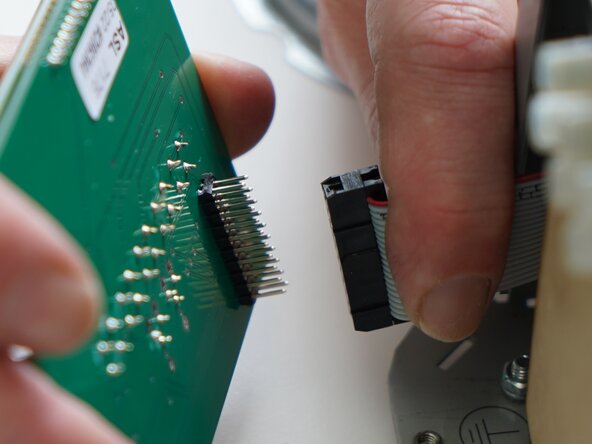
  7. Kaffelogic Nano 7/LINK (A/B/C-N Serial) LCD Board Replacement, Remove ribbon connector: passo 7, imagem 1 %32 Kaffelogic Nano 7/LINK (A/B/C-N Serial) LCD Board Replacement, Remove ribbon connector: passo 7, imagem 2 %32
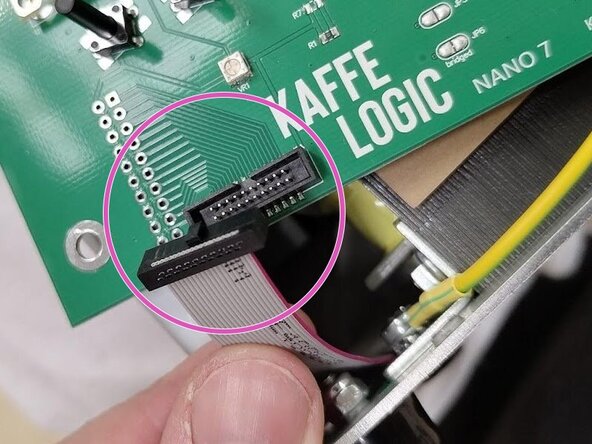
    • Pull carefully on the ribbon connector to remove it.

Conclusão

To reassemble your device, follow these instructions in reverse order.

Kaffelogic

Membro desde: 07/23/25

2.098 Reputação

Autoria de 18 guias

0Comentários do guia

Comentar

Visualizações:

Últimas 24 horas: 0

Últimos 7 dias: 1

Últimos 30 dias: 10

Ao todo: 36