Ir para o conteúdo principal
Participe da comunidade de reparos - Criar conta

How to Remove scratches from a CD

O que você precisa

  1. How to Remove scratches from a CD, How to Remove scratches from a CD: passo 1, imagem 1 %32
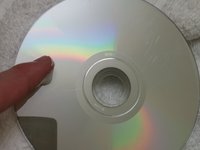
    • Identify any scratches.

    • Some scratches may be too deep to be removed. In this case, this method may not work.

    Pergunte ao FixBot

    Comentar

  2. How to Remove scratches from a CD: passo 2, imagem 1 %32 How to Remove scratches from a CD: passo 2, imagem 2 %32
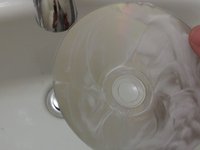
    • Take the CD to the sink.

    • Wash with lukewarm water to remove any dust or dirt.

    Pergunte ao FixBot

    Comentar

  3. How to Remove scratches from a CD: passo 3, imagem 1 %32
    • Let the CD air dry, or dry with towel.

    • Use a non-linen towel or your CD will need to be washed again.

    Pergunte ao FixBot

    Comentar

  4. How to Remove scratches from a CD: passo 4, imagem 1 %32 How to Remove scratches from a CD: passo 4, imagem 2 %32 How to Remove scratches from a CD: passo 4, imagem 3 %32
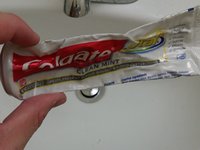
    • Take the toothpaste, and apply it to your index finger.

    • Rinse the toothpaste in lukewarm water and apply to the CD.

    • Rub toothpaste in a circular motion from the center to the outer edge.

    • Add multiple layers of toothpaste to cover all of the scratches.

    • Use a white toothpaste, not a gel. Gels containing little beads may cause more damage to the CD.

    Pergunte ao FixBot

    Comentar

  5. How to Remove scratches from a CD: passo 5, imagem 1 %32
    • Let the CD sit for 2 to 3 minutes.

    Pergunte ao FixBot

    Comentar

  6. How to Remove scratches from a CD: passo 6, imagem 1 %32
    • Rinse off the toothpaste with lukewarm water.

    Pergunte ao FixBot

    Comentar

  7. How to Remove scratches from a CD: passo 7, imagem 1 %32
    • Let the CD air dry, or dry with a non-linen towel.

    • Use a non-linen towel or your CD will need to be washed again.

    Pergunte ao FixBot

    Comentar

  8. How to Remove scratches from a CD: passo 8, imagem 1 %32
    • Inspect your disk.

    • If your disk still has scratches, repeat the process.

    • You could also try to burn the disk onto another disk if the disk is lagging.

    Pergunte ao FixBot

    Comentar

Conclusão

To reassemble your device, follow these instructions in reverse order.

Cancelar: não concluí este guia.

53 outras pessoas executaram este guia.

Nick Jones

Membro desde: 09/29/15

1.701 Reputação

Autoria de 1 guia

Equipe

Cal Poly, Team 14-4, Green Fall 2015 Membro de Cal Poly, Team 14-4, Green Fall 2015

CPSU-GREEN-F15S14G4

5 Membros

Autoria de 17 guias

5Comentários do guia

Works great!

Paul Johnson - Responder Compartilhar

thank youuuuuuuuu

aboabdo.2007 - Responder Compartilhar

Funziona anche con i DVD di film e videogiochi questo procedimento? Oppure è solo specifico per i CD?

Francesco Pepe - Responder Compartilhar

It did not work for me

Leisy Madrigal - Responder Compartilhar

Me Funciono muy bien, gracias!

Esteban Montero - Responder Compartilhar

Comentar

Visualizações:

Últimas 24 horas: 50

Últimos 7 dias: 324

Últimos 30 dias: 1,673

Ao todo: 96,771