Ir para o conteúdo principal

How to Fix a Thrustmaster Eswap X Pro Controller Trigger

O que você precisa

  1. How to Fix a Thrustmaster Eswap X Pro Controller Trigger, How to Fix a Thrustmaster Eswap X Pro Controller Trigger: passo 1, imagem 1 %32 How to Fix a Thrustmaster Eswap X Pro Controller Trigger, How to Fix a Thrustmaster Eswap X Pro Controller Trigger: passo 1, imagem 2 %32
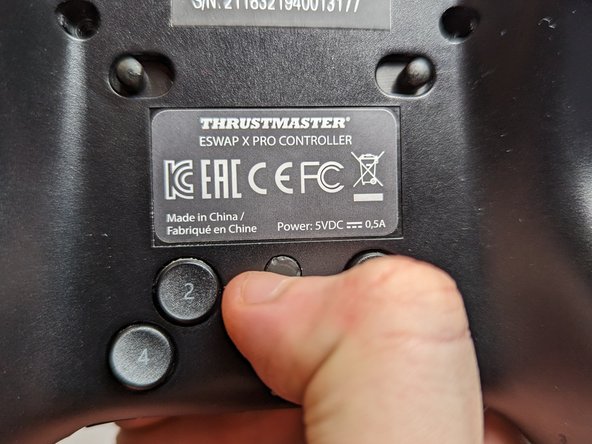
    • Flip the controller so the backside is facing up.

    • Flip both of the switches away from the center.

  2. How to Fix a Thrustmaster Eswap X Pro Controller Trigger: passo 2, imagem 1 %32 How to Fix a Thrustmaster Eswap X Pro Controller Trigger: passo 2, imagem 2 %32 How to Fix a Thrustmaster Eswap X Pro Controller Trigger: passo 2, imagem 3 %32
    • Flip the controller over so the top is facing up.

    • Pull out both the joystick and the directional pad modules.

  3. How to Fix a Thrustmaster Eswap X Pro Controller Trigger: passo 3, imagem 1 %32 How to Fix a Thrustmaster Eswap X Pro Controller Trigger: passo 3, imagem 2 %32 How to Fix a Thrustmaster Eswap X Pro Controller Trigger: passo 3, imagem 3 %32
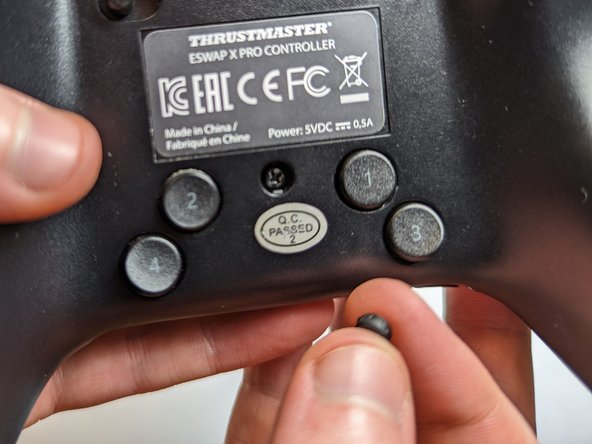
    • Flip the controller over again so the backside is facing up.

    • Use a spudger to remove five rubber screw covers.

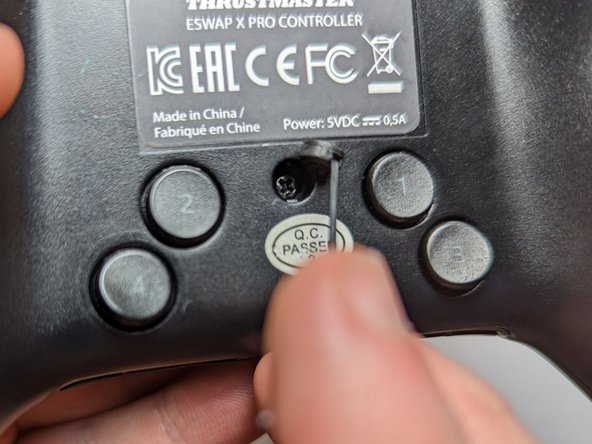
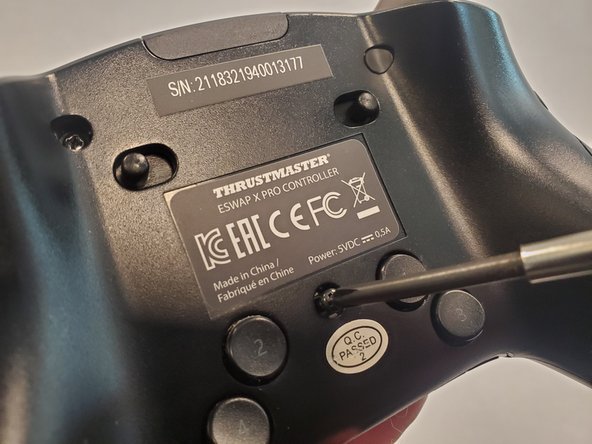
  4. How to Fix a Thrustmaster Eswap X Pro Controller Trigger: passo 4, imagem 1 %32 How to Fix a Thrustmaster Eswap X Pro Controller Trigger: passo 4, imagem 2 %32 How to Fix a Thrustmaster Eswap X Pro Controller Trigger: passo 4, imagem 3 %32
    • Use a Phillips #1 screwdriver to remove each of the 4.0 mm exposed screws.

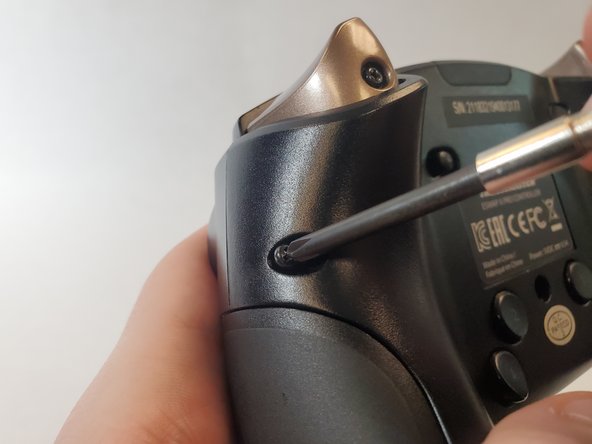
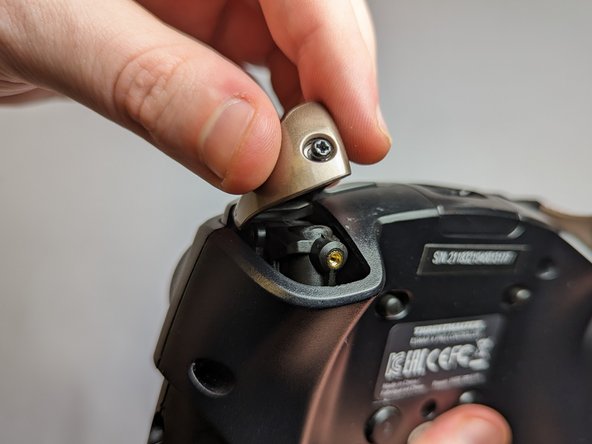
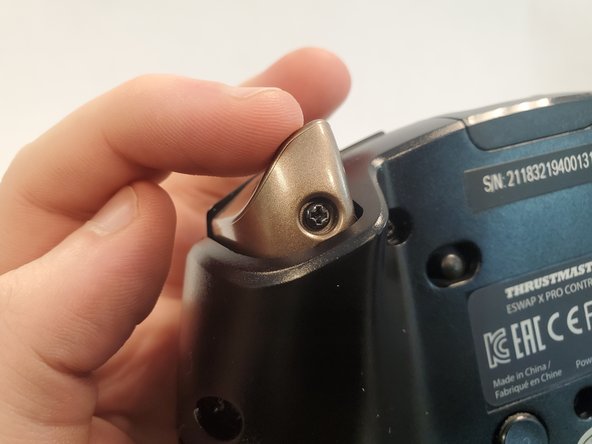
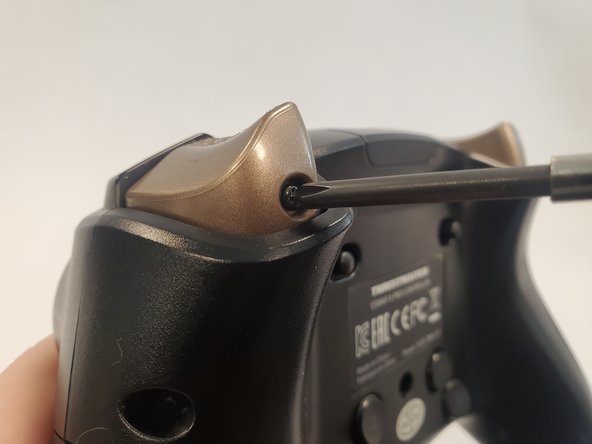
  5. How to Fix a Thrustmaster Eswap X Pro Controller Trigger: passo 5, imagem 1 %32 How to Fix a Thrustmaster Eswap X Pro Controller Trigger: passo 5, imagem 2 %32
    • Use a Phillips #1 screwdriver to loosen the captive screw and remove the trigger button.

  6. How to Fix a Thrustmaster Eswap X Pro Controller Trigger: passo 6, imagem 1 %32 How to Fix a Thrustmaster Eswap X Pro Controller Trigger: passo 6, imagem 2 %32 How to Fix a Thrustmaster Eswap X Pro Controller Trigger: passo 6, imagem 3 %32
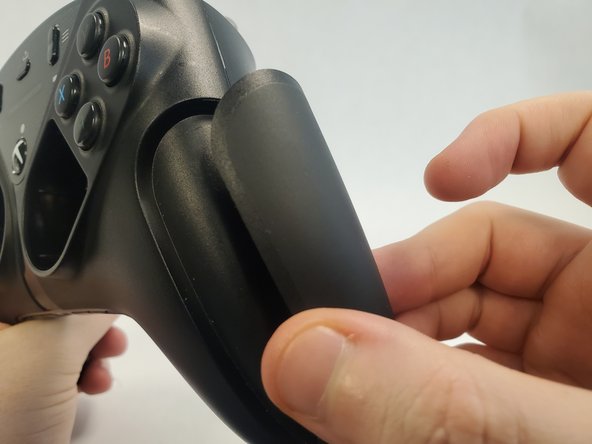
    • Rotate the controller 90 degrees.

    • Pull off the magnetic side cover.

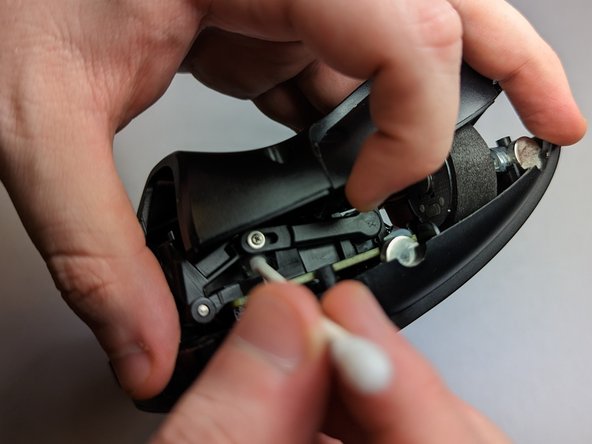
  7. How to Fix a Thrustmaster Eswap X Pro Controller Trigger: passo 7, imagem 1 %32 How to Fix a Thrustmaster Eswap X Pro Controller Trigger: passo 7, imagem 2 %32 How to Fix a Thrustmaster Eswap X Pro Controller Trigger: passo 7, imagem 3 %32
    • Lift the back cover slightly from where you removed the trigger button.

    • Use a Q-tip dipped with isopropyl alcohol to clean the surrounding area.

    • Additionally, wipe down the top face of the trigger with a Q-tip.

  8. How to Fix a Thrustmaster Eswap X Pro Controller Trigger: passo 8, imagem 1 %32 How to Fix a Thrustmaster Eswap X Pro Controller Trigger: passo 8, imagem 2 %32 How to Fix a Thrustmaster Eswap X Pro Controller Trigger: passo 8, imagem 3 %32
    • Reattach the trigger button onto the controller.

    • Use a Phillips #1 screwdriver to tighten the screw securing trigger button.

  9. How to Fix a Thrustmaster Eswap X Pro Controller Trigger: passo 9, imagem 1 %32 How to Fix a Thrustmaster Eswap X Pro Controller Trigger: passo 9, imagem 2 %32 How to Fix a Thrustmaster Eswap X Pro Controller Trigger: passo 9, imagem 3 %32
    • Use a Phillips #1 screwdriver to reattach the 4.0 mm screws to the back of the controller.

  10. How to Fix a Thrustmaster Eswap X Pro Controller Trigger: passo 10, imagem 1 %32 How to Fix a Thrustmaster Eswap X Pro Controller Trigger: passo 10, imagem 2 %32 How to Fix a Thrustmaster Eswap X Pro Controller Trigger: passo 10, imagem 3 %32
    • Notice that the notches on the rubber covers correspond with the notches on the screw hole.

    • Reattach the rubber covers above the screws.

  11. How to Fix a Thrustmaster Eswap X Pro Controller Trigger: passo 11, imagem 1 %32
    • Place the joystick and the directional pad modules back in their respective spots.

  12. How to Fix a Thrustmaster Eswap X Pro Controller Trigger: passo 12, imagem 1 %32 How to Fix a Thrustmaster Eswap X Pro Controller Trigger: passo 12, imagem 2 %32 How to Fix a Thrustmaster Eswap X Pro Controller Trigger: passo 12, imagem 3 %32
    • Reattach the magnetic side cover.

    • The controller is fixed!

Conclusão

To reassemble your device, follow these instructions in reverse order.

3 outras pessoas executaram este guia.

Laurence Chan

Membro desde: 01/26/23

268 Reputação

Autoria de 1 guia

Equipe

UC Davis, Team 2-3, Morris Winter 2023 Membro de UC Davis, Team 2-3, Morris Winter 2023

UCD-MORRIS-W23S2G3

2 Membros

1 Guia de autoria

3Comentários do guia

The problem is it keeps happening after doing all these steps. is there any way or parts to replace the trigger sensor completely? Possibly with a nice hall effect sensor?

John Addington - Responder

You can remove the lever bar that goes from the screw to the sensor (the one you see on Step 7)

Spray a small amount of WD40 on the sensor and use a prong to rotate the part on its full range of motion several times, that will clean up the contact inside and it completely fixed the jitter on mine.

Alex L -

hi, i made an account here just to say this worked for me but on the thrustmaster eswap S pro controller, it's almost identical aside from the cover panels

Anna Fiore - Responder

Comentar

Visualizações:

Últimas 24 horas: 7

Últimos 7 dias: 38

Últimos 30 dias: 121

Ao todo: 4,223