Ir para o conteúdo principal

Heyday Round Bluetooth Speaker Subwoofer Replacement

O que você precisa

  1. Heyday Round Bluetooth Speaker Subwoofer Replacement, Heyday Round Bluetooth Speaker: passo 1, imagem 1 %32 Heyday Round Bluetooth Speaker Subwoofer Replacement, Heyday Round Bluetooth Speaker: passo 1, imagem 2 %32
    • Use a metal spudger to pry the fabric-covered top off of the speaker.

  2. Heyday Round Bluetooth Speaker Subwoofer Replacement: passo 2, imagem 1 %32
    • Use a Phillips #0 screwdriver to remove the twelve screws around the perimeter of the inner plastic shell.

  3. Heyday Round Bluetooth Speaker Subwoofer Replacement: passo 3, imagem 1 %32
    • Remove the inner shell from the back case.

    • Don't yank or pull the shell case off the bottom case. There are cables connecting the two and they could be damaged if pulled.

  4. Heyday Round Bluetooth Speaker Subwoofer Replacement: passo 4, imagem 1 %32
    • Once the hardware is opened by the screwdriver, both sides of the motherboard will be exposed and ready for any needed repairs.

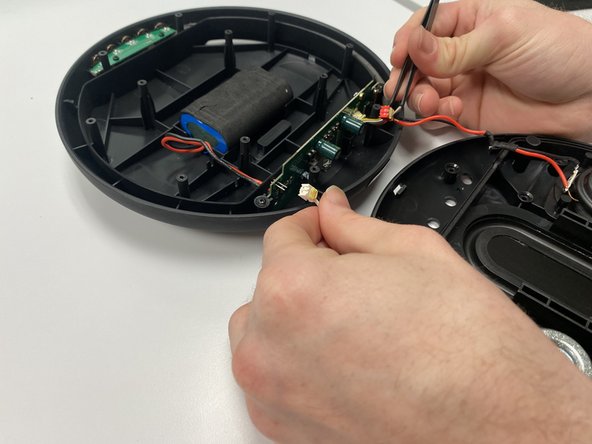
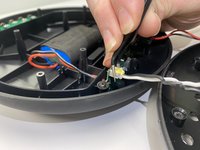
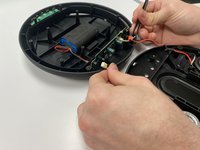
  5. Heyday Round Bluetooth Speaker Subwoofer Replacement, Subwoofer: passo 5, imagem 1 %32 Heyday Round Bluetooth Speaker Subwoofer Replacement, Subwoofer: passo 5, imagem 2 %32
    Ferramenta utilizada neste passo:
    Tweezers
    $4.99
    • Use curved tip tweezers to detach the connectors of two 2-prong Aux In/Out plugs extending from the subwoofer.

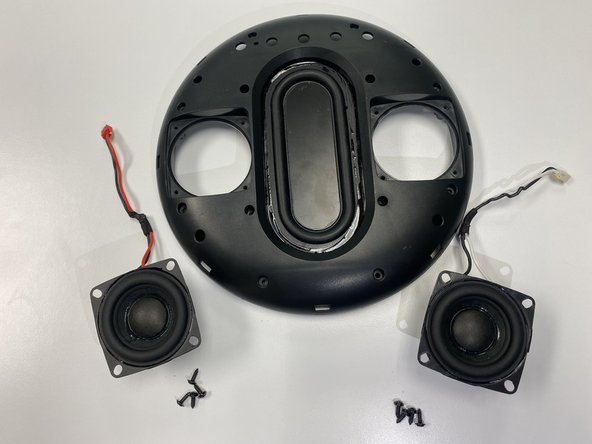
  6. Heyday Round Bluetooth Speaker Subwoofer Replacement: passo 6, imagem 1 %32 Heyday Round Bluetooth Speaker Subwoofer Replacement: passo 6, imagem 2 %32
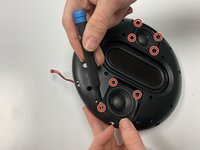
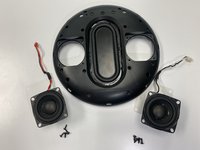
    • Use a Phillips #0 screwdriver to remove the four screws at the edge of each subwoofer to release them.

    • Remove both subwoofers.

Conclusão

To reassemble your device, follow these instructions in reverse order.

0Comentários do guia

Comentar

Visualizações:

Últimas 24 horas: 1

Últimos 7 dias: 5

Últimos 30 dias: 20

Ao todo: 277