Introdução
This guide goes over how to replace the controller's trigger button.
If your TPC-Q044 trigger button starts failing when using your controller, you may want to think about replacing the component. The failure may be a result of a loose spring or a broken latch. The replacement of the circuit board is not too complex. You will need the indicated screwdrivers and a spudger to complete this task. There are no warnings or potential hazards when replacing the pad.
O que você precisa
-
-
Slide the rear compartment cover in the direction of the arrow.
 Pergunte ao FixBot
-
-
-
Remove the four 4mm screws using a Phillips #00 screwdriver.
-
-
-
-
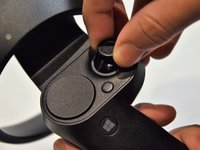
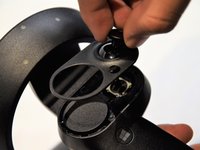
Grip the main body and pull the joystick outwards until the entire front panel pops off.
-
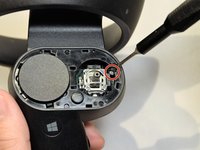
Remove the 6mm screw in the corner of the joystick well using a Phillips #00 screwdriver.
-
-
-
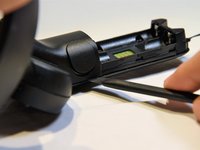
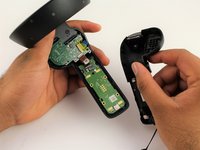
Use a spudger to pry apart the two halves of the assembly.
-
Work slowly, prying a small section at a time until the halves are completely separated.
-
-
-
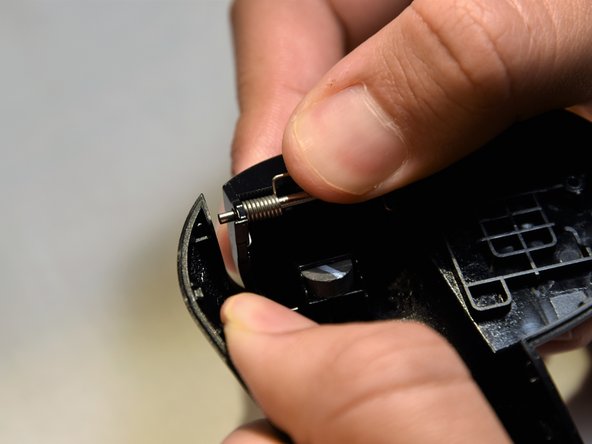
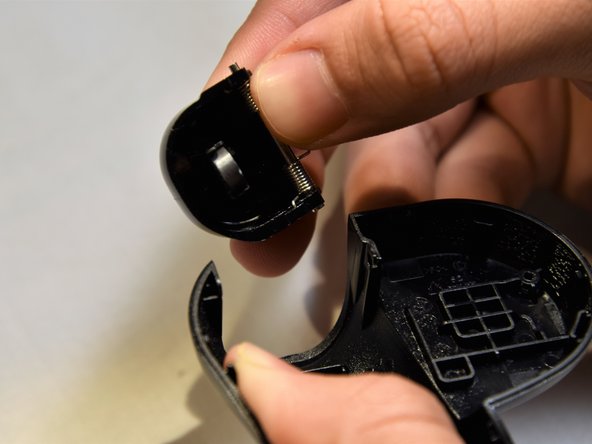
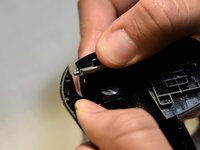
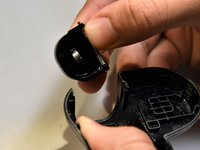
Grasp the trigger with one hand while pushing against the outer wall of the shell.
-
Apply pressure, pulling the wall away from the trigger.
-
Remove the trigger starting from the freed edge.
-





To reassemble your device, follow these instructions in reverse order.
Cancelar: não concluí este guia.
4 outras pessoas executaram este guia.

Equipe

Cal Poly, Team S18-G5, White Winter 2019 Membro de Cal Poly, Team S18-G5, White Winter 2019
CPSU-WHITE-W19S18G5
2 Membros
Autoria de 14 guias
