Ir para o conteúdo principal
Participe da comunidade de reparos - Criar conta

HP Pavilion dv4-4141us RAM Replacement

O que você precisa

  1. HP Pavilion dv4-4141us RAM Replacement, RAM: passo 1, imagem 1 %32
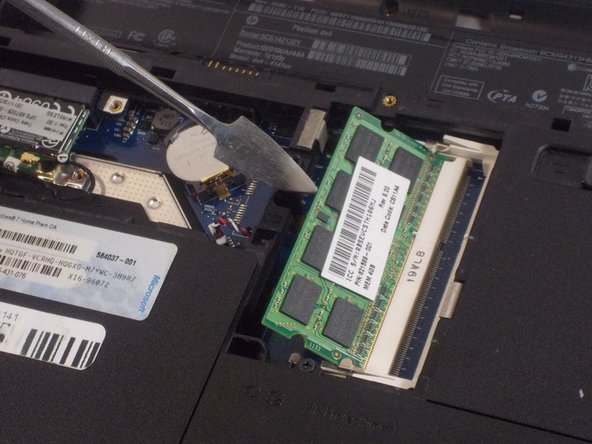
    • Lift up the back panel using a spudger and remove it from the device.

  2. HP Pavilion dv4-4141us RAM Replacement: passo 2, imagem 1 %32
    • Push the two metal clips away from each other to release the RAM.

  3. HP Pavilion dv4-4141us RAM Replacement: passo 3, imagem 1 %32 HP Pavilion dv4-4141us RAM Replacement: passo 3, imagem 2 %32
    • Each RAM stick will pop up at a 45 degree angle.

    • Pull the RAM up and away and remove it from the device.

    • Do not use a metal spudger for this step. Incorrect use of the metal spudger can damage the internal components in your device.

Conclusão

To reassemble your device, follow these instructions in reverse order.

Equipe

UMass Dartmouth, Team 2-3, Sinclaire Fall 2021 Membro de UMass Dartmouth, Team 2-3, Sinclaire Fall 2021

UMASSD-SINCLAIRE-F21S2G3

3 Membros

Autoria de 7 guias

0Comentários do guia

Comentar

Visualizações:

Últimas 24 horas: 0

Últimos 7 dias: 8

Últimos 30 dias: 32

Ao todo: 233