Ir para o conteúdo principal
Participe da comunidade de reparos - Criar conta

HP Media Center 876x Video Card Replacement

O que você precisa

  1. HP Media Center 876x Video Card Replacement, Side Panel: passo 1, imagem 1 %32 HP Media Center 876x Video Card Replacement, Side Panel: passo 1, imagem 2 %32
    • Remove the two (9 mm) hand screws on the back panel.

  2. HP Media Center 876x Video Card Replacement: passo 2, imagem 1 %32 HP Media Center 876x Video Card Replacement: passo 2, imagem 2 %32 HP Media Center 876x Video Card Replacement: passo 2, imagem 3 %32
    • Place the tower on its side.

    • Slide the side panel horizontally to detach, and pull upward to remove.

  3. HP Media Center 876x Video Card Replacement, Video Card: passo 3, imagem 1 %32
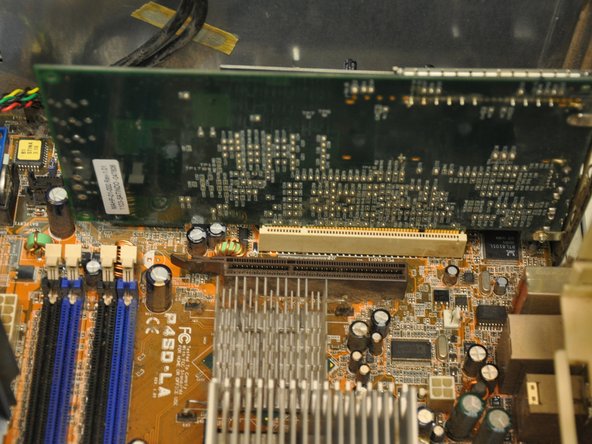
    • Identify the video card (the green card nearest to the fan casing in the bottom left hand corner of the tower).

  4. HP Media Center 876x Video Card Replacement: passo 4, imagem 1 %32
    • Using a Phillips #0 screwdriver, remove the single 6 mm screw fastening the video card to its mount.

  5. HP Media Center 876x Video Card Replacement: passo 5, imagem 1 %32 HP Media Center 876x Video Card Replacement: passo 5, imagem 2 %32
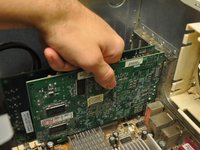
    • Pull the video card vertically out of its port.

Conclusão

To reassemble your device, follow these instructions in reverse order.

Uma outra pessoa concluiu este guia.

Equipe

Clemson, Team 6-1, Benson Spring 2014 Membro de Clemson, Team 6-1, Benson Spring 2014

CLEM-BENSON-S14S6G1

3 Membros

Autoria de 15 guias

0Comentários do guia

Comentar

Visualizações:

Últimas 24 horas: 1

Últimos 7 dias: 13

Últimos 30 dias: 77

Ao todo: 700