Ir para o conteúdo principal
Participe da comunidade de reparos - Criar conta

Disassembling HP Envy TouchSmart 15 Accessory Plate

O que você precisa

  1. Disassembling HP Envy TouchSmart 15 Accessory Plate, Battery: passo 1, imagem 1 %32
    • Press the battery release tab and the battery will pop up.

    Pergunte ao FixBot
  2. Disassembling HP Envy TouchSmart 15 Accessory Plate: passo 2, imagem 1 %32
    • Remove the battery from the laptop, it will come out easily.

    Pergunte ao FixBot
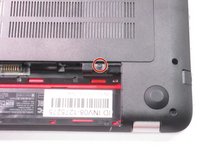
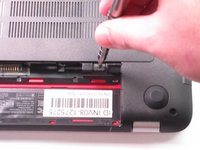
  3. Disassembling HP Envy TouchSmart 15 Accessory Plate, Accessory Plate: passo 3, imagem 1 %32 Disassembling HP Envy TouchSmart 15 Accessory Plate, Accessory Plate: passo 3, imagem 2 %32
    • Remove the single screw holding the accessory plate. This is a PH0 2.0x2.5 screw.

    Pergunte ao FixBot
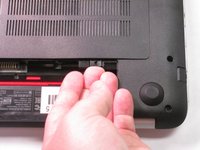
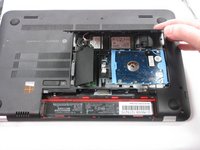
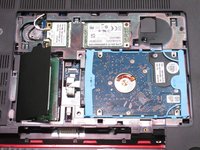
  4. Disassembling HP Envy TouchSmart 15 Accessory Plate: passo 4, imagem 1 %32 Disassembling HP Envy TouchSmart 15 Accessory Plate: passo 4, imagem 2 %32 Disassembling HP Envy TouchSmart 15 Accessory Plate: passo 4, imagem 3 %32
    • Pry the accessory plate up from the back of the laptop by applying force upwards where the screw was removed.

    Pergunte ao FixBot
Conclusão

To reassemble your device, follow these instructions in reverse order.

Uma outra pessoa concluiu este guia.

Equipe

USF Tampa, Team 2-6, Sullivan Fall 2015 Membro de USF Tampa, Team 2-6, Sullivan Fall 2015

USFT-SULLIVAN-F15S2G6

4 Membros

Autoria de 10 guias

0Comentários do guia

Comentar

Visualizações:

Últimas 24 horas: 2

Últimos 7 dias: 6

Últimos 30 dias: 54

Ao todo: 2,646