Ir para o conteúdo principal
Participe da comunidade de reparos - Criar conta

Dell XPS M1730 Webcam Replacement

O que você precisa

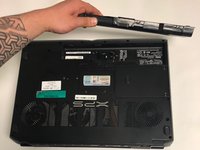
  1. Dell XPS M1730 Webcam Replacement, Battery: passo 1, imagem 1 %32
    • Push the sliding button near the battery compartment.

    Pergunte ao FixBot
  2. Dell XPS M1730 Webcam Replacement: passo 2, imagem 1 %32
    • Slide the button next to the battery and lift up on the lip of the battery edge.

    Pergunte ao FixBot
  3. Dell XPS M1730 Webcam Replacement: passo 3, imagem 1 %32 Dell XPS M1730 Webcam Replacement: passo 3, imagem 2 %32
    • Lift and remove the battery.

    Pergunte ao FixBot
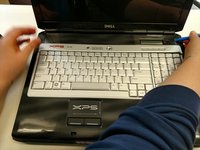
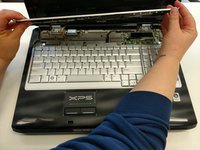
  4. Dell XPS M1730 Webcam Replacement, Keyboard: passo 4, imagem 1 %32 Dell XPS M1730 Webcam Replacement, Keyboard: passo 4, imagem 2 %32 Dell XPS M1730 Webcam Replacement, Keyboard: passo 4, imagem 3 %32
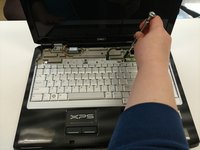
    • Remove the plastic trim at the base of the screen screen. Start from the tab on the right side and work to the left side.

    Pergunte ao FixBot
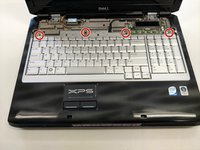
  5. Dell XPS M1730 Webcam Replacement: passo 5, imagem 1 %32 Dell XPS M1730 Webcam Replacement: passo 5, imagem 2 %32
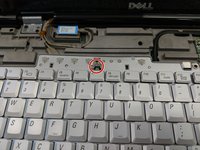
    • Remove the four screws from the top of the keyboard bracket.

    Pergunte ao FixBot
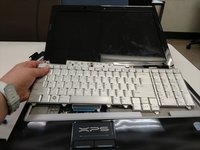
  6. Dell XPS M1730 Webcam Replacement: passo 6, imagem 1 %32 Dell XPS M1730 Webcam Replacement: passo 6, imagem 2 %32 Dell XPS M1730 Webcam Replacement: passo 6, imagem 3 %32
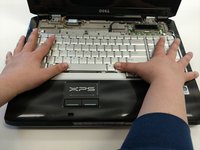
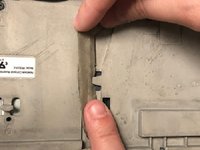
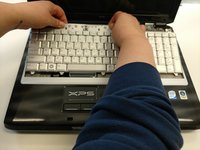
    • Remove the keyboard by sliding it forward, off of the clips, and then lifting up.

    Pergunte ao FixBot
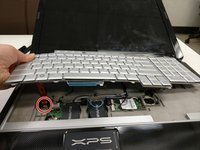
  7. Dell XPS M1730 Webcam Replacement: passo 7, imagem 1 %32 Dell XPS M1730 Webcam Replacement: passo 7, imagem 2 %32 Dell XPS M1730 Webcam Replacement: passo 7, imagem 3 %32
    • Lift the keyboard about 2 inches up from the laptop platform.

    • From this angle the keyboard ribbon connector can be seen and disconnected.

    Pergunte ao FixBot
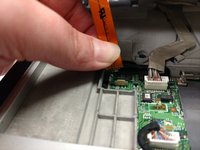
  8. Dell XPS M1730 Webcam Replacement, LCD Screen Display: passo 8, imagem 1 %32
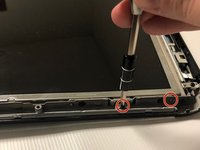
    • Remove 2 M2x3mm screws that are located at the bottom of the plastic bezel with a PH0 screwdriver.

    Pergunte ao FixBot
  9. Dell XPS M1730 Webcam Replacement: passo 9, imagem 1 %32 Dell XPS M1730 Webcam Replacement: passo 9, imagem 2 %32 Dell XPS M1730 Webcam Replacement: passo 9, imagem 3 %32
    • Use iFixit plastic tool and a cutout of cardboard to pry out the plastic bezel around the edges of the LCD screen

    Pergunte ao FixBot
  10. Dell XPS M1730 Webcam Replacement: passo 10, imagem 1 %32 Dell XPS M1730 Webcam Replacement: passo 10, imagem 2 %32 Dell XPS M1730 Webcam Replacement: passo 10, imagem 3 %32
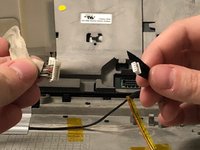
    • Disconnect the display connectors by removing them from the grooves and unplugging them.

    Pergunte ao FixBot
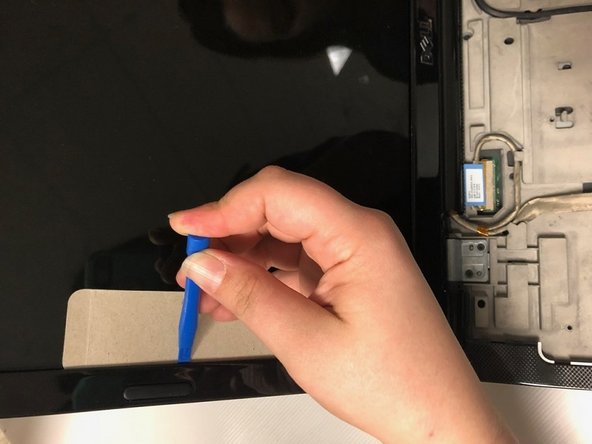
  11. Dell XPS M1730 Webcam Replacement: passo 11, imagem 1 %32 Dell XPS M1730 Webcam Replacement: passo 11, imagem 2 %32 Dell XPS M1730 Webcam Replacement: passo 11, imagem 3 %32
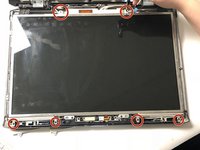
    • Remove 12 M2x3mm screws along the edge of the screen frame with a PH0 screwdriver.

    Pergunte ao FixBot
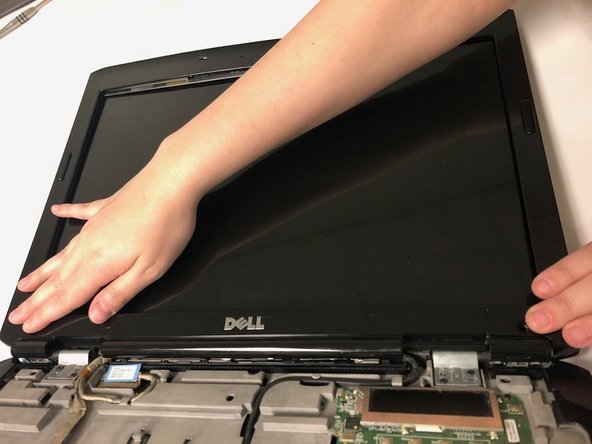
  12. Dell XPS M1730 Webcam Replacement: passo 12, imagem 1 %32 Dell XPS M1730 Webcam Replacement: passo 12, imagem 2 %32
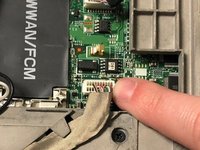
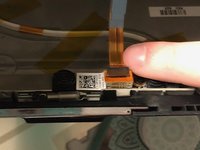
    • Disconnect the display connector behind the top of the screen.

    Pergunte ao FixBot
  13. Dell XPS M1730 Webcam Replacement, Webcam: passo 13, imagem 1 %32
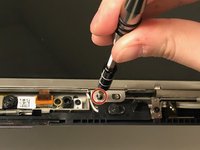
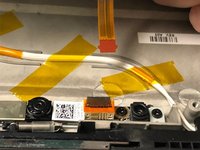
    • Remove the four screws (M2x3mm) surrounding the webcam

    Pergunte ao FixBot
  14. Dell XPS M1730 Webcam Replacement: passo 14, imagem 1 %32
    • Lift up on the webcam bar to pull it out.

    Pergunte ao FixBot
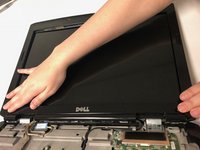
  15. Dell XPS M1730 Webcam Replacement: passo 15, imagem 1 %32
    • Remove webcam bar and the metal tray underneath.

    • Your webcam is now removed.

    Pergunte ao FixBot
Conclusão

To reassemble your device, follow these instructions in reverse order.

0Comentários do guia

Comentar

Visualizações:

Últimas 24 horas: 2

Últimos 7 dias: 12

Últimos 30 dias: 57

Ao todo: 647