Introdução
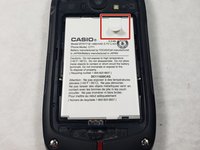
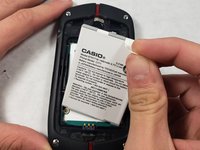
In this guide, we will be taking out the old SIM card and putting in a new one.
O que você precisa
-
-
Slide the slider on the back of the phone to the free position.
 Pergunte ao FixBot
-
-
-
Using a plastic opening tool, gently lift open the back panel from bottom of the panel.
-
-
-
-
Using a spudger, gently open the metal tab up. Now, it is ready for you to insert the new SIM card.
-



Conclusão
To reassemble your device, follow these instructions in reverse order.

Equipe

UMass Dartmouth, Team S3-G7, Peak Fall 2018 Membro de UMass Dartmouth, Team S3-G7, Peak Fall 2018
UMASSD-PEAK-F18S3G7
3 Membros
Autoria de 8 guias
1Comentário do guia
i believe that is the memory card, not the sim card!
