Ir para o conteúdo principal
Participe da comunidade de reparos - Criar conta

BlackBerry 7280 Microphone Replacement

O que você precisa

  1. BlackBerry 7280 Microphone Replacement, Battery: passo 1, imagem 1 %32 BlackBerry 7280 Microphone Replacement, Battery: passo 1, imagem 2 %32 BlackBerry 7280 Microphone Replacement, Battery: passo 1, imagem 3 %32
    • With your thumb press down on the locking- button on the back of the BlackBerry 7280.

    • Slide the battery cover off the device.

    Pergunte ao FixBot

    Comentar

  2. BlackBerry 7280 Microphone Replacement: passo 2, imagem 1 %32 BlackBerry 7280 Microphone Replacement: passo 2, imagem 2 %32
    • Remove the lithium-ion battery from the back of the device using your index finger.

    Pergunte ao FixBot

    Comentar

  3. BlackBerry 7280 Microphone Replacement, SIM Card: passo 3, imagem 1 %32 BlackBerry 7280 Microphone Replacement, SIM Card: passo 3, imagem 2 %32 BlackBerry 7280 Microphone Replacement, SIM Card: passo 3, imagem 3 %32
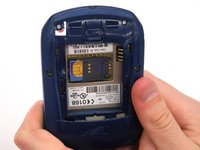
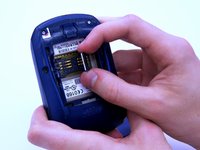
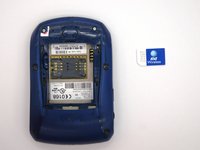
    • Hold the device with both hands.

    • Lift the SIM card holder using your thumb and index finger.

    • Remove the SIM card from the device.

    Pergunte ao FixBot

    Comentar

  4. BlackBerry 7280 Microphone Replacement, Back Case: passo 4, imagem 1 %32 BlackBerry 7280 Microphone Replacement, Back Case: passo 4, imagem 2 %32
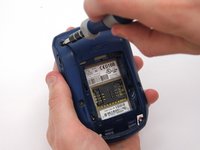
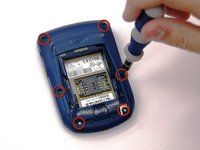
    • Using a Torx T6 screwdriver, remove all six 1/8 inch screws (marked in red) from the back case. Set screws aside.

    • The SIM card has been removed here to prevent damage to the card. This is recommended, but not not required.

    Pergunte ao FixBot

    Comentar

  5. BlackBerry 7280 Microphone Replacement: passo 5, imagem 1 %32 BlackBerry 7280 Microphone Replacement: passo 5, imagem 2 %32
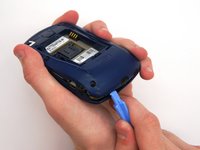
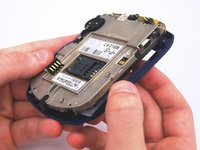
    • Use the plastic opening tool to pry the back case away from the front case.

    Pergunte ao FixBot

    Comentar

  6. BlackBerry 7280 Microphone Replacement, Front Case: passo 6, imagem 1 %32 BlackBerry 7280 Microphone Replacement, Front Case: passo 6, imagem 2 %32
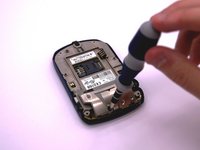
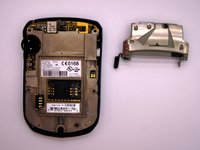
    • Using a Torx T6 screwdriver, remove the lone 1/8 inch screw that holds the upper metal bracket onto the larger metal bracket. Set aside the screw and the bracket.

    Pergunte ao FixBot

    Comentar

  7. BlackBerry 7280 Microphone Replacement: passo 7, imagem 1 %32 BlackBerry 7280 Microphone Replacement: passo 7, imagem 2 %32
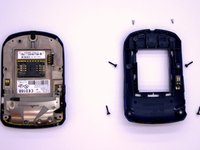
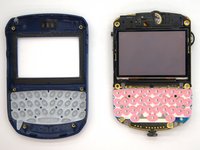
    • Remove the front plastic case from the metal bracket.

    Pergunte ao FixBot

    Comentar

  8. BlackBerry 7280 Microphone Replacement, LCD Screen and Speaker: passo 8, imagem 1 %32 BlackBerry 7280 Microphone Replacement, LCD Screen and Speaker: passo 8, imagem 2 %32
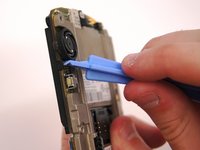
    • Use the plastic opening tool to pry at the edge of the screen near the track-wheel.

    Pergunte ao FixBot

    Comentar

  9. BlackBerry 7280 Microphone Replacement, Logic Board: passo 9, imagem 1 %32
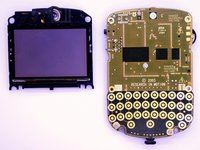
    • Use a Torx T6 screwdriver to remove the 3 1/8 inch screws shown.

    Pergunte ao FixBot

    Comentar

  10. BlackBerry 7280 Microphone Replacement: passo 10, imagem 1 %32
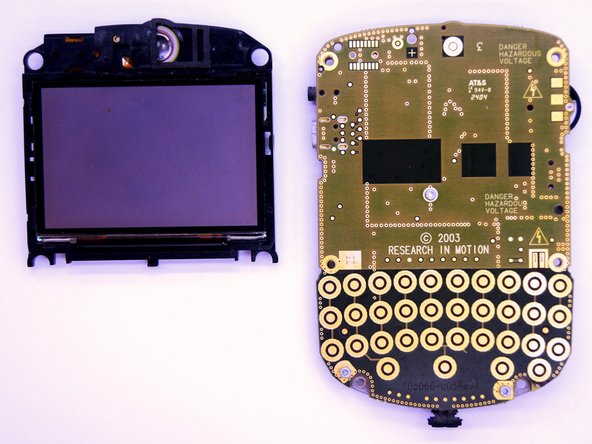
    • Remove the logic board with your hands.

    Pergunte ao FixBot

    Comentar

  11. BlackBerry 7280 Microphone Replacement, Microphone: passo 11, imagem 1 %32 BlackBerry 7280 Microphone Replacement, Microphone: passo 11, imagem 2 %32 BlackBerry 7280 Microphone Replacement, Microphone: passo 11, imagem 3 %32
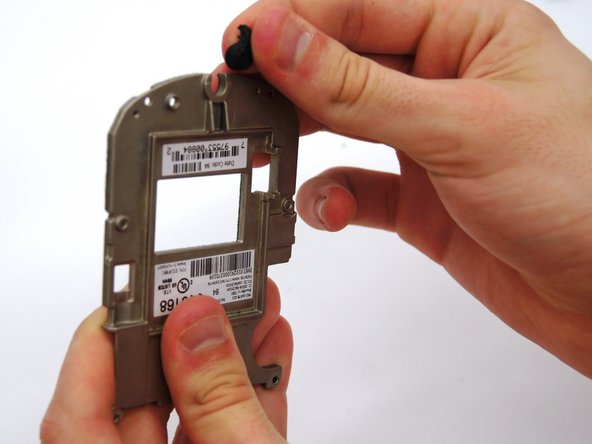
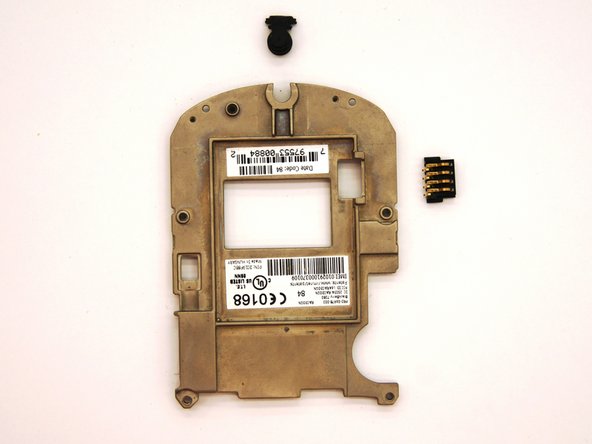
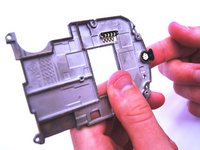
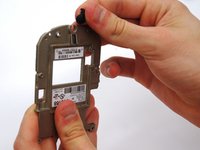
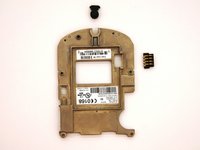
    • Remove the small black rubber microphone by sliding it off of the metal bracket.

    Pergunte ao FixBot

    Comentar

Conclusão

To reassemble your device, follow these instructions in reverse order.

Cancelar: não concluí este guia.

Uma outra pessoa concluiu este guia.

Andrew Catlin

Membro desde: 03/11/13

16 Reputação

Autoria de 3 guias

Equipe

Clemson, Team 12-2, Benson Spring 2013 Membro de Clemson, Team 12-2, Benson Spring 2013

CLEM-BENSON-S13S12G2

4 Membros

Autoria de 11 guias

1Comentário do guia

Hi ! great tutorial ! do you know the reference name or number of the microphone that this blackberry uses ?

Thank you !

DearTom - Responder Compartilhar

Comentar

Visualizações:

Últimas 24 horas: 4

Últimos 7 dias: 14

Últimos 30 dias: 39

Ao todo: 568