Ir para o conteúdo principal
Participe da comunidade de reparos - Criar conta

Battery Disconnect

Pré-requisito somente
Este é um guia somente para pré-requisitos! Este guia faz parte de outro procedimento e não deve ser usado sozinho.

O que você precisa

  1. Battery Disconnect, Samsung Galaxy A51 SIM Tray Removal: passo 1, imagem 1 %32 Battery Disconnect, Samsung Galaxy A51 SIM Tray Removal: passo 1, imagem 2 %32 Battery Disconnect, Samsung Galaxy A51 SIM Tray Removal: passo 1, imagem 3 %32
    • Insert a SIM card eject tool, a SIM eject bit or a straightened paper clip into the hole on the SIM tray located at the left side of the phone.

    • Press firmly to eject the tray.

    • Remove the SIM card tray.

    • When reinserting the cards, make sure to properly orient them in the tray.

  2. Battery Disconnect, Back Cover: passo 2, imagem 1 %32
    • Before beginning this procedure, completely power off your phone.

    • Prepare an iOpener and apply it to the back cover to soften the adhesive.

    • The adhesive of the Samsung Galaxy A51 is very strong. You can use a hair dryer or a heat gun if you aren't able to open the device with the iOpener.

    • Be careful not to overheat the phone—the AMOLED display and internal battery are both susceptible to heat damage.

  3. Battery Disconnect: passo 3, imagem 1 %32 Battery Disconnect: passo 3, imagem 2 %32 Battery Disconnect: passo 3, imagem 3 %32
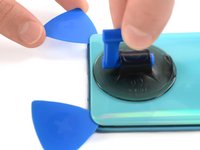
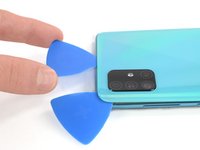
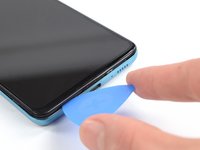
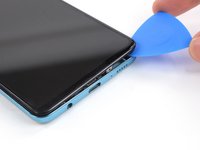
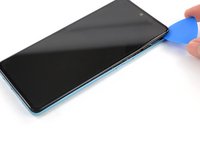
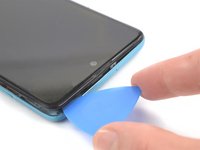
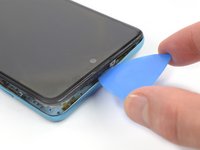
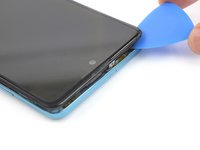
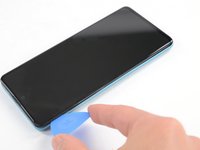
    • Insert the tip of an opening pick between the frame and the back cover at the bottom of the phone near the USB-C port.

    • If you can't get between the back cover and midframe with your opening pick, you can use a suction handle or strong tape to pull up the back cover to create a gap.

    • Slide the opening pick to the bottom right corner and leave it there.

  4. Battery Disconnect: passo 4, imagem 1 %32 Battery Disconnect: passo 4, imagem 2 %32 Battery Disconnect: passo 4, imagem 3 %32
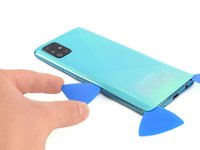
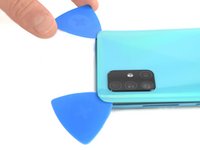
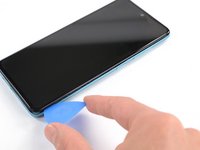
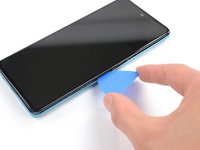
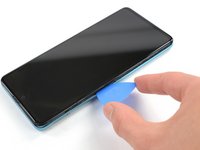
    • Insert a second opening pick and slide it from the bottom right corner to the bottom left corner to cut the adhesive.

    • Leave the opening picks in place to prevent the adhesive from resealing.

  5. Battery Disconnect: passo 5, imagem 1 %32 Battery Disconnect: passo 5, imagem 2 %32 Battery Disconnect: passo 5, imagem 3 %32
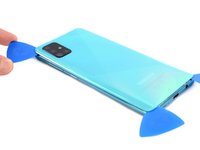
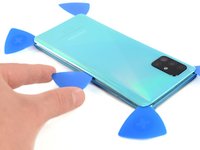
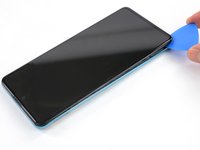
    • Insert a third opening pick under the bottom left corner of the back cover.

    • If you have any trouble, apply more heat to further soften the adhesive. Follow the iOpener instructions to avoid overheating.

    • Slide the opening pick along the left edge of the phone.

    • Leave the opening pick in the top left corner to prevent the adhesive from resealing.

  6. Battery Disconnect: passo 6, imagem 1 %32 Battery Disconnect: passo 6, imagem 2 %32 Battery Disconnect: passo 6, imagem 3 %32
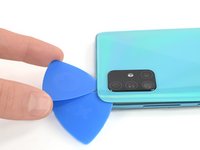
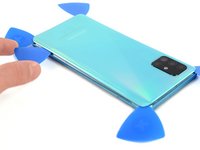
    • Insert a fourth opening pick under the top left corner of the back cover near the camera.

    • Slide the tip of the opening pick along the top edge of the phone to the right corner to cut the adhesive.

    • Leave the opening pick in the top right corner to prevent the adhesive from resealing.

  7. Battery Disconnect: passo 7, imagem 1 %32 Battery Disconnect: passo 7, imagem 2 %32 Battery Disconnect: passo 7, imagem 3 %32
    • With opening picks in all four corners, insert a fifth and final opening pick under the top right corner of the back cover.

    • Slide the tip of the opening pick along the right edge of the phone to the bottom right corner to cut the remaining adhesive.

  8. Battery Disconnect: passo 8, imagem 1 %32
    • Remove the back cover.

    • After installing the back cover, apply strong, steady pressure to your phone for several minutes to help the adhesive form a good bond—a stack of heavy books works well.

  9. Battery Disconnect, Midframe: passo 9, imagem 1 %32
    • Remove the thirteen 3 mm Phillips #00 screws securing the midframe.

  10. Battery Disconnect: passo 10, imagem 1 %32 Battery Disconnect: passo 10, imagem 2 %32 Battery Disconnect: passo 10, imagem 3 %32
    • The midframe is held in place by plastic clips.

    • Insert an opening pick between the midframe and front panel assembly on the bottom of the phone near the charge port.

    • Slide the opening pick to the left bottom corner to release the plastic clips.

    • Slide the opening pick to the bottom right corner to release the rest of the bottom plastic clips.

  11. Battery Disconnect: passo 11, imagem 1 %32 Battery Disconnect: passo 11, imagem 2 %32 Battery Disconnect: passo 11, imagem 3 %32
    • Continue sliding the opening pick on the right side of your phone until all plastic clips on the right side are released.

  12. Battery Disconnect: passo 12, imagem 1 %32 Battery Disconnect: passo 12, imagem 2 %32 Battery Disconnect: passo 12, imagem 3 %32
    • Slide the opening pick along the top edge to release the top plastic clips.

  13. Battery Disconnect: passo 13, imagem 1 %32 Battery Disconnect: passo 13, imagem 2 %32 Battery Disconnect: passo 13, imagem 3 %32
    • Slide the opening pick from the top left corner to the bottom left corner to release the left side's plastic clips.

  14. Battery Disconnect: passo 14, imagem 1 %32
    • Remove the midframe.

  15. Battery Disconnect, Battery Disconnect: passo 15, imagem 1 %32 Battery Disconnect, Battery Disconnect: passo 15, imagem 2 %32
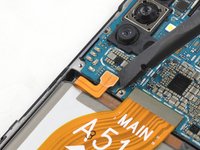
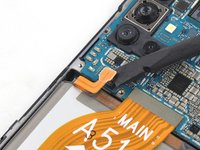
    • Use the flat end of a spudger to disconnect the battery by prying the connector straight up from its socket.

Conclusão

To reassemble your device, follow these instructions in reverse order.

Adriana Zwink

Membro desde: 12/18/19

63.221 Reputação

Autoria de 167 guias

Equipe

iFixit Membro de iFixit

Staff

123 Membros

Autoria de 23.908 guias

0Comentários do guia

Comentar

Visualizações:

Últimas 24 horas: 0

Últimos 7 dias: 1

Últimos 30 dias: 2

Ao todo: 99