Ir para o conteúdo principal
Participe da comunidade de reparos - Criar conta

Asus X751MA-DH01TQ Keyboard Replacement

O que você precisa

  1. Asus X751MA-DH01TQ  Keyboard Replacement, Keyboard: passo 1, imagem 1 %32 Asus X751MA-DH01TQ  Keyboard Replacement, Keyboard: passo 1, imagem 2 %32
    • Turn the laptop upside down and locate the ten screws holding in the plate cover.

    • Remove all ten screws using a PH00 screwdriver.

  2. Asus X751MA-DH01TQ  Keyboard Replacement: passo 2, imagem 1 %32
    • Once the screws are out, open up the laptop and use the plastic opening tool on the keyboard and the back to pry it open.

  3. Asus X751MA-DH01TQ  Keyboard Replacement: passo 3, imagem 1 %32
    • Separate the keyboard from the computer to expose the inside of the computer.

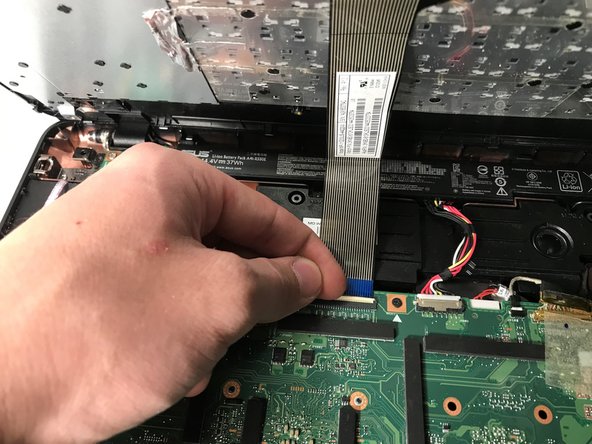
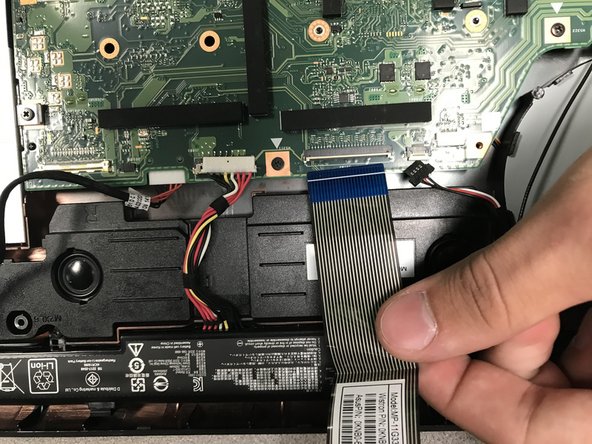
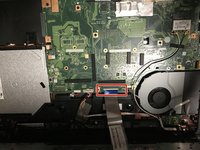
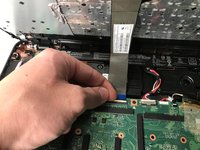
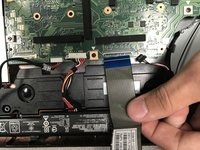
  4. Asus X751MA-DH01TQ  Keyboard Replacement: passo 4, imagem 1 %32 Asus X751MA-DH01TQ  Keyboard Replacement: passo 4, imagem 2 %32 Asus X751MA-DH01TQ  Keyboard Replacement: passo 4, imagem 3 %32
    • Flip up the white connector.

    • Take the blue cable out of the motherboard.

Conclusão

To reassemble your device, follow these instructions in reverse order.

Darren Kim

Membro desde: 09/18/18

657 Reputação

Autoria de 3 guias

0Comentários do guia

Comentar

Visualizações:

Últimas 24 horas: 1

Últimos 7 dias: 2

Últimos 30 dias: 8

Ao todo: 417