Ir para o conteúdo principal

Android tablet Nobis NB09 Button Replacement

O que você precisa

  1. Android tablet Nobis NB09 Button Replacement, Button: passo 1, imagem 1 %32
    • Use a screwdriver to remove the two 00 Phillips screws on the right side of the tablet.

  2. Android tablet Nobis NB09 Button Replacement: passo 2, imagem 1 %32 Android tablet Nobis NB09 Button Replacement: passo 2, imagem 2 %32
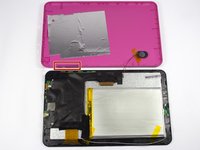
    • Use the plastic opening tool to loosen, and pry off the back case.

    • Use caution when prying around the tablet ports so they do not crack.

  3. Android tablet Nobis NB09 Button Replacement: passo 3, imagem 1 %32 Android tablet Nobis NB09 Button Replacement: passo 3, imagem 2 %32
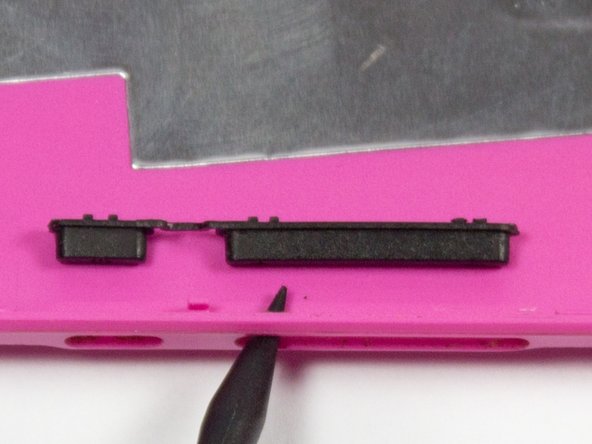
    • The buttons are located on the bottom left hand corner of pink back plate. Simply pop old buttons out with spudger or similar tool.

Conclusão

To reassemble your device, follow these instructions in reverse order.

Uma outra pessoa concluiu este guia.

Jackson McAdams

Membro desde: 04/01/15

390 Reputação

Autoria de 3 guias

Equipe

UMass Dartmouth, Team 7-1, Cichon Spring 2015 Membro de UMass Dartmouth, Team 7-1, Cichon Spring 2015

UMASSD-CICHON-S15S7G1

4 Membros

Autoria de 12 guias

0Comentários do guia

Comentar

Visualizações:

Últimas 24 horas: 0

Últimos 7 dias: 0

Últimos 30 dias: 1

Ao todo: 271