Ir para o conteúdo principal

Abask J05 Front Case Replacement

O que você precisa

  1. Abask J05 Front Case Replacement, Front Case: passo 1, imagem 1 %32 Abask J05 Front Case Replacement, Front Case: passo 1, imagem 2 %32
    • Gently press on the SD card with a fingernail until it clicks.

    • Release, then remove the card.

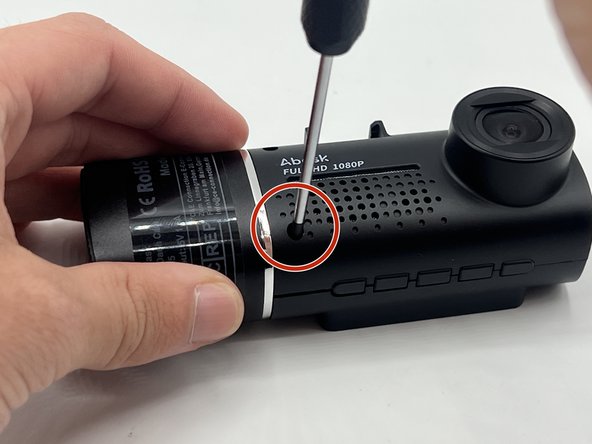
  2. Abask J05 Front Case Replacement: passo 2, imagem 1 %32
    • Remove the 5 mm screw from the side of the device next to the suction cup dock with a Phillips #00 screwdriver.

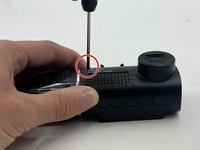
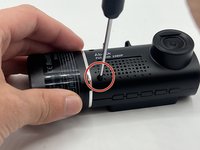
  3. Abask J05 Front Case Replacement: passo 3, imagem 1 %32 Abask J05 Front Case Replacement: passo 3, imagem 2 %32
    • Remove the two 8 mm screws from opposite sides of the screen with a Phillips #00 precision screwdriver.

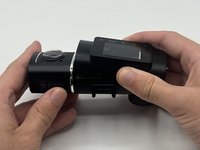
  4. Abask J05 Front Case Replacement: passo 4, imagem 1 %32 Abask J05 Front Case Replacement: passo 4, imagem 2 %32
    • Gently lift the screen.

    • Push up on the interior camera portion of the device. It should pop out of the socket. Being careful to keep the wires attached, set it to the side.

  5. Abask J05 Front Case Replacement: passo 5, imagem 1 %32 Abask J05 Front Case Replacement: passo 5, imagem 2 %32
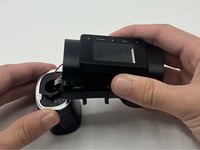
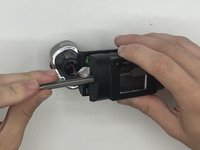
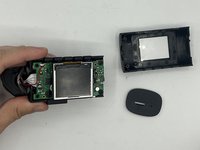
    • Reach into the device with a spudger to release the top two snap joints keeping the end cap attached one at a time until the front face lifts off.

    • Be careful not to touch the screen.

    • Repeat the process with the two remaining snap joints.

Conclusão

To reassemble your device, follow these instructions in reverse order.

Kristen Gismondi

Membro desde: 11/12/14

99.240 Reputação

Autoria de 255 guias

Equipe

iFixit Membro de iFixit

Staff

123 Membros

Autoria de 23.580 guias

0Comentários do guia

Comentar

Visualizações:

Últimas 24 horas: 0

Últimos 7 dias: 0

Últimos 30 dias: 3

Ao todo: 61