
 5
No power, fans spin at full speed


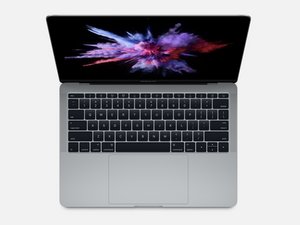
I got a 2017 13” MacBook Pro online for parts. The fans gradually ramp up and spin at full speed when plugged in. The trackpad connector was ripped off of the board and there is no ssd. Water damage indicators are also red, but no visual marks or stains. I get no image on the display, caps lock key does not light up when I press it. When unplugged, the system immediately shuts down. Any help?
Esta é uma boa pergunta?
Pontuação
1


26 comentários
@ryzobyte you got a lot going on there. First, take some good pictures of your logic board (both sides) and post those with your question, that way we can see what you see and hopefully can figure something out. This "The trackpad connector" will have to be replaced and let's see the damage from it being ripped off.
The reason why the fans gradually ramp up to 100% speed specifically when plugged into power, is because the System Management Controller (SMC) is reacting to an abnormal thermal reading, a missing sensor signal, or even heat generated by the charging circuit.
For this "When unplugged, the system immediately shuts down." sound like you may just have a bad battery.
Once your computer starts back up, run coconutBattery and post the pictures of the results with your question.
You can always start off by doing SMC Reset and running the Apple diagnostic. Let us know what you find out with all of this. That way we can focus on what to do first/next.
Adicionar imagens a uma pergunta já existente
por oldturkey03 Compartilhar
@oldturkey03 Hi, I tried an SMC reset (no luck) and I can't access coconutBattery or Apple diagnostics since the unit doesn't power on. I will add some photos of the logic board tomorrow. Thanks
por Ryzobyte Compartilhar
@ryzobyte yes, of course. I did mean to check the battery once your computer boots back up :-) I've made the edit to my original comment :)
por oldturkey03 Compartilhar
@oldturkey03 I added a quick picture of the board where the connector was ripped. I will take some better pictures of the logic board tomorrow.
por Ryzobyte Compartilhar
@oldturkey03 uploaded images of both sides of the logic board. The trackpad connector is ripped off of the board
por Ryzobyte Compartilhar
Exibir mais 21 comentários