
Ir para o conteúdo principal
Participe da comunidade de reparos - Criar conta

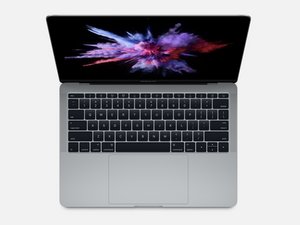
A1708/EMC 3164 — Lançado em junho de 2017, este MacBook Pro de entrada mantém as teclas de função tradicionais (em vez da Touch Bar OLED).

MacBook Pro 13″ April 2017 Hard Drive not recognised

Hello,

I have a MacBook Pro (13-inch, 2016, 2 TBT3) purchased in April 2017. Its hard drive is not getting recognised during booting.

Have tried various options to boot the Macbook viz. using

  • DiskUtility. Booting using Option+Command+R etc.
  • Installed MacOS Monterrey - thinking its a good old stable version for this old Mac - on a USB drive and used the USB drive to boot the Macbook. It only shows the External USB Drive but not the Internal HDD.
  • Installed Linux on the USB drive like above but the result was same.
  • Used a thunderbolt cable to connect to a working Macbook. Though, I bought this cable on eBay and not on Apple store but has the thunderbolt symbol and looks genuine. After connecting, the non-working Macbook shows a thunderbolt symbol on the screen but on the working Macbook Finder, no sign of the HDD as an external drive in Location

Hoping its not a hardware failure but possibly a firmware issue. And hoping against hope that I will able to recover the data on it.

When the last time I was successfully able to boot the Macbook, the HDD was very close to being full.

Any guidance and help to resolve this issue is much appreciated.

Thank you very much.

Responder a esta pergunta Também tenho esse problema

Esta é uma boa pergunta?

Pontuação 0

1 comentário:

Here's the location of the custom SSD drive Apple uses in your system as well in Step 12 Desmontagem do MacBook Pro 13" com teclas de função do final de 2016.

por Compartilhar

Adicionar um comentário

2 respostas

You may want to create a bootable external drive so you can boot up under it to do a full wipe and install onto the internal SSD as that's about all that's left if the boot blocks are damaged. Otherwise it's time for a new SSD. Luckily OWC produced a pin compatible drive 13-inch MacBook Pro non-Touch Bar (2016 - 2017)

Esta resposta foi útil?

Pontuação 0

4 comentários:

Thank you Dan.

I tried with bootable USB drive and the Macbook boots with it but then does not list the internal drive.

Main problem is the data. I really really would like to recover it. I am desperately hoping that the internal drive itself is not damaged and may be its the firmware and may be fixing the firmware would do the trick of recovering data.

por Compartilhar

Also, is it possible that because the SSD is completely full, the workflow demand is not met? may be not enough space for cache etc.?

Will a big Apple store do something about it? or any of their authorized repair vendors?

por Compartilhar

@devavratt - If you are able to boot up the system via an external drive that’s a good sign the system it’s self is healthy. Only leaving the drive it’s self

So, is the version on macOS the same as what the system is running? As Apple did make a sizable change moving from HFS+ to APFS file systems which won’t allow the older Sierra 10.12.x (or older) to read the newer High Sierra 10.13.x or newer volumes.

At which point the internal SSD it’s self is damaged. You could try getting a good drive recovery App like Drive Genius but you’ll need to run it from a sizable bootable drive as it will need the same amount of space free as what your internal drive is. That is if it can recover the data.

por Compartilhar

Unfortunately, I don't recall what the macOS version was installed on the Macbook the last time it booted normally. The 64GB USB drive had Monterrey first and later tried with ubuntu as well and the system booted successfully.

I also have a 1TB external drive. Will try to Drive Genius using it.

por Compartilhar

Adicionar um comentário

Your MacBook Pro (13", 2016) likely has an SSD hardware failure, as it's not recognized by macOS, Linux, or Target Disk Mode, despite all recovery attempts.

Esta resposta foi útil?

Pontuação 0
Adicionar um comentário

Adicionar a sua resposta

Devavratt será eternamente grato(a).
Visualizações:

Últimas 24 horas: 2

Últimos 7 dias: 3

Últimos 30 dias: 30

Ao todo: 490